

Nylas pricing in 2026 runs on four plans, Free, Essentials, Pro and Enterprise, and every one includes the same product set: email, calendar, Notetaker meeting bots and Agent Accounts for AI mailboxes. Free costs nothing and covers 5 connected accounts. Essentials starts at $15 a month for 10 accounts. Pro starts at $49 a month on monthly billing or $43 a month on annual billing, both for 25 accounts, with every account past the included volume billed as overage at a published rate. Enterprise has no listed number.
This guide is for a developer or technical founder who needs the real monthly bill at a specific account count, not just the headline price. We work through Nylas's overage math at 25, 50, 100 and 500 connected accounts, show exactly where Essentials stops being the cheaper choice, and explain what Pro Annual buys beyond a lower sticker price. We also flag why older guides to Nylas pricing quote numbers that no longer exist, and where a mailbox and calendar API like Nylas stops and a LinkedIn outreach system starts.
How does Nylas pricing work in 2026?
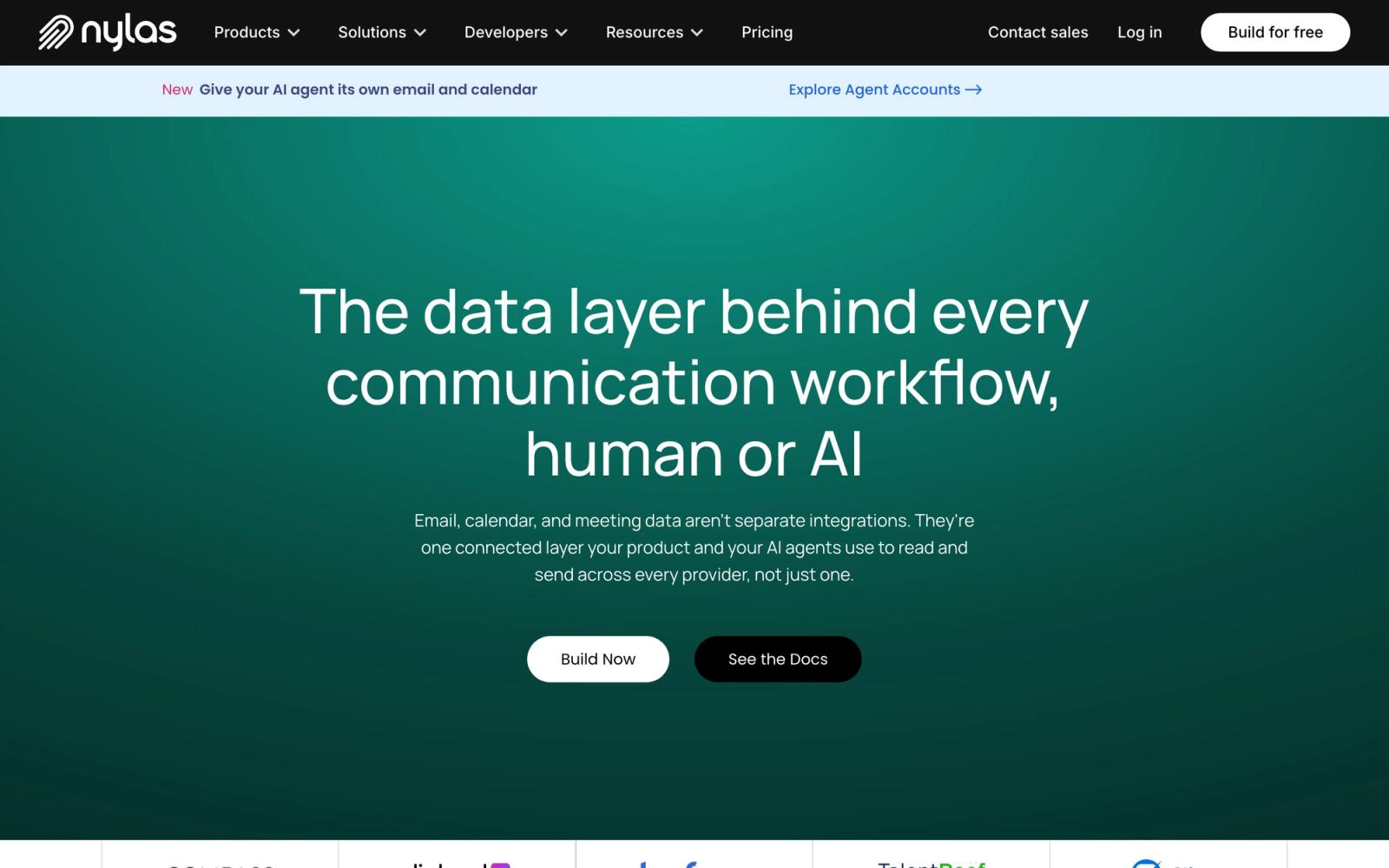
Nylas pricing works on a single model applied to every plan: each tier includes every product, meaning email and calendar connectivity, Notetaker bot hours, and Agent Accounts for AI mailboxes all ship on Free, Essentials and Pro alike. What changes between plans is how much of each resource is included before overage kicks in, and how much that overage costs per unit. Nylas's own pricing page states plainly: "All prices are listed in USD." Its FAQ gives the rule for what happens past the included volume: "Most usage simply keeps running, and anything extra is billed at the rates shown on your plan each month." Free is the exception, since the same FAQ adds: "A few limits are fixed, like on the Free plan, and upgrading raises them right away."
That overage-first design is why a flat headline number rarely matches what a team actually pays. Essentials advertises $15 a month, but a team connecting 30 mailboxes on Essentials is really paying $15 plus 20 accounts of overage, not $15 flat. The table below lays out the base fee, the included account volume and the overage rate for every plan, the foundation for every worked number later in this guide.
| Plan | Monthly base fee | Included email + calendar accounts | Overage per additional account |
|---|---|---|---|
| Free | $0 | 5 | Not applicable, fixed limits |
| Essentials | $15 | 10 | $2.25 |
| Pro (monthly billing) | $49 | 25 | $2.00 |
| Pro (annual billing) | $43 | 25 | $1.75 |
| Enterprise | Custom | Volume band pricing | Custom |
Essentials has no separate Monthly or Annual toggle on the page, so its $15 base fee and $2.25 overage rate are the only figures published for that tier. Pro is where the toggle matters most: annual billing lowers both the base fee, from $49 to $43, and the overage rate, from $2.00 to $1.75 per additional account, which compounds fast once a team connects more than a handful of extra mailboxes. Enterprise drops the per-account model entirely for volume band pricing that is not published on its pricing page, alongside HIPAA and HITECH BAA support, a guaranteed uptime SLA and app-level field filtering that none of the self-service plans mention.
What is a connected account in Nylas pricing?
A connected account, in Nylas's own words, "is any end-user mailbox or calendar your application links to Nylas, for example a Google or Microsoft account a customer authenticates." That definition matters because it is the unit every plan's overage rate is priced against: Essentials' $2.25 and Pro's $2.00 or $1.75 all apply per connected account past the included volume, not per user, per seat or per API call. A product syncing ten customer mailboxes is using ten connected accounts, regardless of how many people on the team have access to the Nylas dashboard.
Nylas prices two other resources on a related but separate basis. A bot hour is "one hour the Notetaker bot spends in a Google Meet, Teams, or Zoom meeting, recording, transcribing, and summarizing it," billed by meeting time rather than by account. An Agent Account is different again: it "gives your AI agent its own email inbox and calendar, hosted by Nylas," a full mailbox Nylas provisions for an autonomous agent, not a customer's own inbox being connected. Each of these three meters carries its own included volume on every plan, and its own overage rate wherever Nylas publishes one, so a full Nylas bill is really three calculations added together, not one number.
Building outreach on connected accounts, not just mailboxes?
Swarmhit runs LinkedIn campaigns, sender rotation, reply detection and safeguards behind one API with webhooks, on accounts your customers connect themselves.
Public pricing from $16.90 per sender. White-label available.
How much does Nylas cost at 25, 50, 100 and 500 accounts?
Nylas cost at any account count comes down to one calculation: base fee, plus accounts past the included volume, multiplied by the overage rate. Recomputing that formula at four common team sizes shows exactly where each plan wins.
| Accounts | Essentials | Pro (monthly) | Pro (annual) |
|---|---|---|---|
| 25 | $48.75 | $49.00 | $43.00 |
| 50 | $105.00 | $99.00 | $86.75 |
| 100 | $217.50 | $199.00 | $174.25 |
| 500 | Not a realistic fit | Not a realistic fit | $874.25 |
At 25 accounts, Essentials costs $15 plus 15 accounts of overage at $2.25 each, or $15 + $33.75 = $48.75, already close to Pro's flat $49 for the same 25 accounts with no overage at all. At 50, Essentials runs $15 + 40 x $2.25 = $105 a month, Pro monthly runs $49 + 25 x $2.00 = $99, and Pro annual runs $43 + 25 x $1.75 = $86.75, a gap that keeps widening: at 100 accounts, Pro monthly's $49 + 75 x $2.00 = $199 and Pro annual's $43 + 75 x $1.75 = $174.25 both undercut Essentials' $15 + 90 x $2.25 = $217.50. At 500, only Pro annual's formula is worth quoting: $43 + 475 x $1.75 = $874.25. Essentials and Pro monthly extend the same formula on paper, but 500 mailboxes is well into the range where Enterprise volume band pricing likely applies instead, and what that band charges is not published on Nylas's pricing page.
The break-even point between Essentials and Pro monthly lands at exactly 26 accounts. Setting Essentials' formula ($15 plus $2.25 per account past 10) equal to Pro monthly's ($49 plus $2.00 per account past 25) and solving gives n = 26: at 26 accounts, Essentials costs $15 + 16 x $2.25 = $51.00 and Pro monthly costs $49 + 1 x $2.00 = $51.00, an exact tie. One account earlier, Essentials is cheaper at $48.75 against Pro's $49.00; one account later, Pro monthly is cheaper at $53.00 against Essentials' $53.25. That crossover is a clean rule against Pro monthly: below 26 accounts Essentials is cheaper, at 26 the two tie, and from 27 up Pro monthly is cheaper. Against Pro annual the crossover arrives earlier, at 23 accounts, where Essentials costs $15 + 13 x $2.25 = $44.25 and Pro annual is still a flat $43.
What does Pro Annual change beyond a lower base fee?
Pro Annual changes more than the sticker price: it lowers every overage rate at once, unlocks features Nylas gates specifically to annual billing, and requires a 12-month commitment in exchange. The base fee drops from $49 to $43 a month, but the more consequential change is the overage side: the per-account rate falls from $2.00 to $1.75, the calendar-only rate from $1.50 to $1.35, bot hours from $0.70 to $0.65 an hour, and Agent Accounts from $0.40 to $0.20 each, half the monthly-billing rate. Custom sending domains also double, from 10 on Pro monthly to 20 on Pro annual.
Within Pro, two things come only with annual billing: "Basic Support" and what Nylas calls the "Accelerator package," described on the monthly view as a "Google Shared App and Custom Auth Branding" and on the annual view as a "Shared Google App" plus "Custom Domain CNAME." Nylas's own FAQ is direct about the trade-off: choosing annual billing means "you commit for 12 months," which is also what unlocks "features reserved for annual plans, like Scheduler whitelabeling." Weighing Pro monthly against Pro annual really means weighing a lower ongoing bill and two extra features against a year of spend locked in up front.
How much do Notetaker bot hours and Agent Accounts cost?
Notetaker bot hours and Agent Accounts are priced separately from connected accounts, and both scale the same way: an included volume per plan, then a published overage rate. Free includes 5 bot hours and 3 Agent Accounts with 3,000 agent emails, 3 GB of storage and 3 GB of bandwidth a month, with no overage rate published on Free. Essentials includes 10 bot hours, billed at $0.80 an hour past that, and 10 Agent Accounts with 10,000 agent emails, 10 GB of storage and 10 GB of bandwidth a month, with no separate overage rate published for those Agent Account resources at that tier.
Pro is where every one of these meters gets its own published overage rate, and annual billing lowers each one:
| Meter | Pro included volume | Pro monthly overage | Pro annual overage |
|---|---|---|---|
| Notetaker bot hours | 70 a month | $0.70 per hour | $0.65 per hour |
| Agent Accounts | 50 | $0.40 each | $0.20 each |
| Agent Account storage | 50 GB | $0.40 per GB | $0.20 per GB |
| Agent Account bandwidth | 50 GB | $0.80 per GB | $0.50 per GB |
| Agent emails | 50,000 a month | $0.80 per 1,000 | $0.70 per 1,000 |
A product that joins every customer meeting to transcribe it will feel the bot hour meter first: 70 included hours on Pro covers roughly 17 hour-long meetings a week across a four-week month, and every hour past that adds $0.70 or $0.65 depending on billing cycle. A team building autonomous email agents instead will watch the Agent Account and agent email meters, since each hosted agent mailbox draws down both its own account slot and its share of the 50,000 included agent emails a month.
How does Nylas pricing compare with other email APIs?
Nylas's per-account meter is competitive between 10 and 50 accounts and loses ground above that, where a flat license or a cheaper per-account API pulls ahead. The table uses each vendor's live pricing page as read on September 24, 2026, and the Nylas figures from the plan table above.
| Vendor | Starting price | What the meter is | Scope |
|---|---|---|---|
| Nylas | $15 a month (Essentials, 10 accounts), $49 or $43 a month (Pro, 25 accounts) | $2.25, $2.00 or $1.75 per additional connected account | Email, calendar, Notetaker, Agent Accounts |
| Aurinko | $1 per account per month under 1 GB transferred, $1.50 under 5 GB, $2 unlimited | Per connected account | Email, calendar, contacts, tasks |
| EmailEngine | $1,450 or €1,200 a year, flat | None: unlimited mailboxes, instances and API calls, self-hosted | Email only (Gmail, Microsoft 365, IMAP) |
| Cronofy | $899 a month billed monthly, $819 billed annually (Emerging, 500 synced accounts) | $1.39 per additional synced account | Calendar sync, availability and scheduling |
| Unipile | €49 a month for 10 linked accounts | €5 per account at 11 to 50, €4.50 at 51 to 200, sliding to €3 above 5,000, applied to every linked account | LinkedIn, WhatsApp, Instagram, Telegram, email and calendar |
At 100 connected mailboxes, Nylas Pro on monthly billing is $49 plus 75 overage accounts at $2.00, so $199 a month or about $2,388 a year, and Pro annual is $174.25 a month or about $2,091 a year. EmailEngine's flat license is $1,450 a year at that count and at ten times that count, in exchange for running the server yourself. Aurinko is $100 a month at 100 accounts on its lightest transfer tier. Cronofy's $819 base only makes sense if the job is scheduling rather than mailbox access. Unipile costs more per account than any of them, about €450 a month at 100 accounts since its 51 to 200 band rate of €4.50 applies to every linked account rather than only the ones above 50, and earns that only if the same accounts need LinkedIn or WhatsApp as well as email. The full comparison, with a verdict per use case, is in our Nylas alternatives guide.
What is not on Nylas's pricing page?
Two things are conspicuously absent from Nylas's own pricing page. First, the feature checklist showing which API capabilities ship on which plan is rendered as checkmark icons rather than plain text, so we cannot state as fact that a specific feature is present or missing on a specific plan beyond the base fees, included volumes and overage rates already covered here. Second, and more relevant to anyone comparing channels, Nylas covers email, calendar, scheduling and meeting notetaking end to end, and nothing on its pricing page lists LinkedIn, WhatsApp or any other social messaging channel. Nylas is a mailbox and calendar API, not a multichannel outreach API, and its pricing page does not pretend otherwise.
That gap matters most for anyone evaluating Nylas next to a LinkedIn messaging API: no amount of reading Nylas's overage tables will surface a connection request or an InMail send, because Nylas's own pricing page lists no such action anywhere across its plans.
When is Nylas the wrong API for the job?
Nylas is the wrong API the moment a product needs to send or receive LinkedIn messages, connection requests or any other social outreach action, because its pricing page lists nothing beyond email, calendar, scheduling and Notetaker across every plan, from Free through Enterprise. There is also no path around that gap through LinkedIn's own official developer program. Its Microsoft Learn documentation states that "most permissions and partner programs require explicit approval from LinkedIn," and that "Open Permissions are the only permissions that are available to all developers without special approval," which cover signing in with LinkedIn and posting to a member's own feed, not messaging other members. Getting an official LinkedIn client ID and secret through the developer access process is not the same as being approved to automate outreach.
The Invitations API makes that restriction explicit rather than implicit. LinkedIn's own documentation is blunt about who can use it: "Usage of this API is restricted to approved partners, subject to limitations via API agreement." Even an approved partner is told: "You can only send invites on behalf of the authenticated user," never on behalf of accounts that user does not control. A minimal request against that endpoint looks like this:
POST https://api.linkedin.com/v2/invitationsThe body carries an invitee URN, a person, an email address or a phone account, plus an optional message the docs say you can omit "to send the default message." Reading a member's own network runs through a separate, similarly restricted endpoint:
GET https://api.linkedin.com/v2/connections?q=viewer&start=0&count=50Even with that endpoint, the documentation is explicit: "You cannot 'browse connections.'" Results cover only the authenticating member's own first-degree network, and second-degree connections "are not available from LinkedIn" at all. A team that wants raw account-level control anyway, prepared to build the sequencing, pacing and safety layer above it, can look at Unipile, which exposes connected-account actions directly rather than going through LinkedIn's restricted partner program. A team weighing whether to build that sequencer from scratch has a walkthrough in our guide to building a LinkedIn outreach tool, and what official access costs sits in our LinkedIn API pricing piece.
Where does LinkedIn outreach fit next to Nylas?
Nylas and Swarmhit are not competitors, because they sit in different categories: Nylas is a mailbox and calendar API, and Swarmhit is a LinkedIn outreach system that runs campaigns on LinkedIn accounts a customer already owns and connects. Choosing between them is not comparing two vendors for the same job, it is deciding whether the job is email and calendar connectivity or LinkedIn sending, and the honest answer is usually both, handled by two separate tools.
Swarmhit's API exposes a working campaign sequencer with throttling, monitoring, retries, sender and organization limits, and safeguards for the account-safety edge cases that show up once real customer accounts run at scale, the category our outreach API comparison covers in more depth. Every connected sender gets a dedicated proxy, managed auto warmup, health checks and smart sending caps, with 250+ safeguards monitored around the clock, and replies land in one unified inbox with interest tags. Access runs through the API and webhooks over the sequencer, senders, leads, inbox and events, with CRM connectivity through that same layer rather than a built-in sync. Pricing is public, from $16.90 per sender a month. Teams that want a complete workspace under their own brand, rather than just the API underneath it, can talk to the sales team at Cadency, the white-label outreach app built on Swarmhit.
Teams that would rather run their own LinkedIn campaigns in a finished app than build a product around the API can talk to the sales team at Cadency, the outreach app built on Swarmhit.
Nylas at a glance
Pros
- Every plan, including Free, includes email, calendar, Notetaker and Agent Accounts
- On paid plans, most usage keeps running at published overage rates once the included volume is used up
- Pro Annual lowers every overage rate at once, not just the base fee
- A genuinely free forever tier with no credit card required, enough to build and test an integration
Cons
- Essentials has no annual billing option shown on the page, unlike Pro
- Per-plan feature availability is shown as icons, not readable text, so exact feature gating cannot be stated with certainty
- No LinkedIn, WhatsApp or other social messaging channel listed on its pricing page
- Enterprise volume band pricing is not published, so costs above roughly 100 to 500 accounts are not quotable in advance
FAQ
What is Nylas pricing in 2026?
Nylas pricing in 2026 has four plans: Free at $0 for 5 connected accounts, Essentials at $15 a month for 10 accounts, Pro at $49 a month on monthly billing or $43 a month on annual billing for 25 accounts, and Enterprise at a custom, unpublished rate. Every plan includes the same product set, email, calendar, Notetaker and Agent Accounts, with usage past the included volume on paid plans billed as overage rather than forcing an upgrade.
How much is Nylas API pricing per connected account?
Nylas API pricing scales per connected account once a plan's included volume runs out. Overage runs $2.25 on Essentials past 10 accounts, $2.00 on Pro monthly past 25, and $1.75 on Pro annual past 25, with no separate per-account rate below the included volume since the base fee already covers that first block outright.
Is the Nylas free plan enough to build and test an integration?
The Nylas free plan is enough to build and test a real integration, not just a demo, since it includes 5 email and calendar connected accounts, 5 Notetaker bot hours and 3 Agent Accounts with 3,000 agent emails a month, all at $0 with no credit card required. Nylas describes it as "free forever," and its own FAQ notes that only a few limits are fixed on that tier, with upgrading raising them immediately.
What is Nylas cost per connected account at scale?
Nylas cost per connected account falls as a plan's base fee rises, because a higher base buys a larger included volume before overage applies. At 50 accounts, Essentials averages $2.10 per account overall ($105 divided by 50), while Pro annual averages $1.74 per account ($86.75 divided by 50), and that gap widens further at 100 and 500 accounts as Pro annual's lower overage rate compounds.
Is Nylas worth it in 2026?
Nylas is worth it for a team that needs email, calendar, scheduling or Notetaker connectivity and wants one API and one bill covering all of them, with a free tier large enough for real testing before any payment starts. It is not worth it for a team whose core need is LinkedIn or other social messaging, since that channel is absent from every plan Nylas publishes, free through Enterprise alike.
How does Nylas pricing compare between Pro monthly and Pro annual?
Nylas pricing on Pro drops across the board on annual billing: the base fee falls from $49 to $43, the per-account overage rate from $2.00 to $1.75, and every other overage rate, bot hours, Agent Accounts, storage, bandwidth and agent emails, falls too, each by its own published rate shown in the table above rather than a single uniform cut. Annual billing also unlocks Basic Support and the Accelerator package, in exchange for a 12-month commitment Nylas states outright in its FAQ.
Is Nylas the cheapest email API per account?
No. For email only, Aurinko starts at $1 per account per month against Nylas's $1.75 to $2.25 overage rate, and EmailEngine's flat $1,450 a year license covers unlimited mailboxes if you host it yourself, which undercuts every Nylas plan once a product passes roughly 60 to 70 connected accounts. Cronofy is not cheaper, it is a scheduling API priced from $819 a month on annual billing. Unipile costs more per account but adds LinkedIn and WhatsApp, which Nylas does not offer at any price. Our Nylas alternatives guide compares them in full.
Is LinkedIn messaging listed on Nylas's pricing page?
Nylas's pricing page lists no LinkedIn messaging anywhere on it. Every plan from Free through Enterprise covers email, calendar, scheduling and Notetaker meeting bots, and no plan shows LinkedIn, WhatsApp or any other social messaging channel among its included products. A team that needs LinkedIn sending alongside Nylas's mailbox connectivity needs a separate, purpose-built tool for that channel.
What happens if a team exceeds the Nylas free plan's limits?
Nylas's own FAQ describes the free plan as carrying a few fixed limits, unlike the paid plans' overage model that lets usage keep running past the included volume, and says upgrading is what raises those fixed limits right away. What exactly happens in the moment a Free limit is hit is not detailed on Nylas's pricing page. In practice, growing past 5 connected accounts, 5 Notetaker bot hours or 3 Agent Accounts on Free means moving to Essentials or Pro rather than paying an overage fee on Free itself.
Can you estimate Nylas cost before signing up, the way a pricing calculator would?
Nylas cost can be estimated by hand using the published base fee and overage rate for each meter, the same method this guide uses throughout: multiply the accounts, bot hours or Agent Accounts past the included volume by that plan's overage rate, then add the base fee. At 50 connected accounts, that formula gives $105 on Essentials, $99 on Pro monthly and $86.75 on Pro annual, all recomputed directly from Nylas's published rates rather than a separate calculator tool.
Conclusion
Nylas pricing in 2026 rewards doing the overage math before picking a plan, not after. Against Pro monthly, Essentials is cheaper below 26 connected accounts, the two tie at 26, and Pro monthly is cheaper from 27 up; Pro annual's lower base fee and lower overage rate overtake Essentials earlier, from 23 accounts. Enterprise exists for the volume bands neither Essentials nor Pro publishes a rate for, and Free is generous enough to validate an integration before any of that math matters.
Nylas's pricing page never lists a way to send a LinkedIn message, on any plan or at any price, and that channel also sits outside LinkedIn's own official developer program for anyone without partner approval. A team that needs both mailbox connectivity and LinkedIn outreach is choosing two tools for two jobs, not one API stretched to cover both.


