

If you are building a sales platform, a recruiting tool, or an AI agent that needs LinkedIn messaging, chances are you have come across Unipile. It is one of the few APIs that gives developers access to LinkedIn alongside WhatsApp, Instagram, Telegram, email, and calendars through a single integration. But is it actually worth building on in 2026?
This Unipile review covers what Unipile actually does, its verified 2026 pricing, what users say about it on G2 (good and bad), where it falls short, and when a managed engine makes more sense than raw API plumbing. If you are already shopping for a replacement, our roundup of eight alternatives to Unipile, each with verified pricing, is the shorter read; the Swarmhit vs Unipile page covers the head to head. All pricing and product claims were checked against Unipile's own site at the time of writing, and we have evaluated dozens of LinkedIn infrastructure providers while building our own outreach engine, which makes it easier to see where Unipile excels and where the additional engineering work begins.
What is Unipile and who is it for?
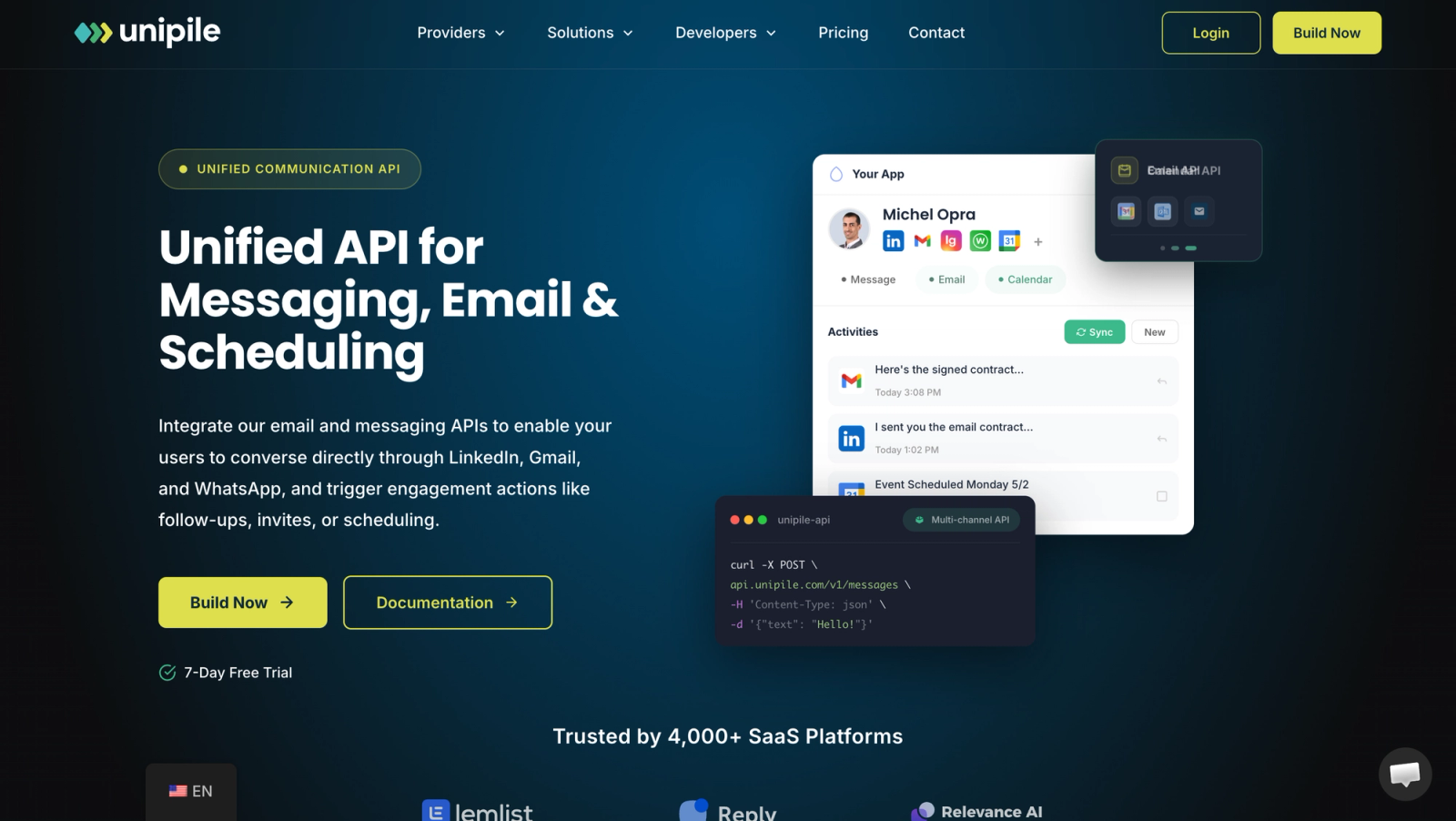
Unipile sells one API over many communication channels. On the messaging side it covers LinkedIn, WhatsApp, Instagram, and Telegram; on the email side Gmail, Outlook, and IMAP; and on the calendar side Google Calendar and Outlook Calendar. Everything runs through a REST API with a unified schema, real-time webhooks, and a hosted, white-label authentication page your users go through to link their own accounts. A key design choice: Unipile authenticates on behalf of real user accounts rather than running bots on shared infrastructure.
The buyers are software builders, not end users: ATS and CRM publishers, outreach and sales enablement tools, AI agent builders, and no-code platforms. Unipile says integration takes about 2 days, claims it saves around 80% of development time versus building each provider integration yourself, and reports 4,000+ SaaS platforms on the product with a 99.9% uptime commitment. It is SOC 2 Type II certified and GDPR compliant.
What can you build with the Unipile API?
In practice, teams use Unipile to build:
- LinkedIn outreach and social selling software
- Recruiting platforms that message candidates where they actually reply
- CRM and ATS messaging, synced across channels
- AI SDR agents that hold real conversations
- Unified inboxes and customer support tools
Here is how the API enables those.
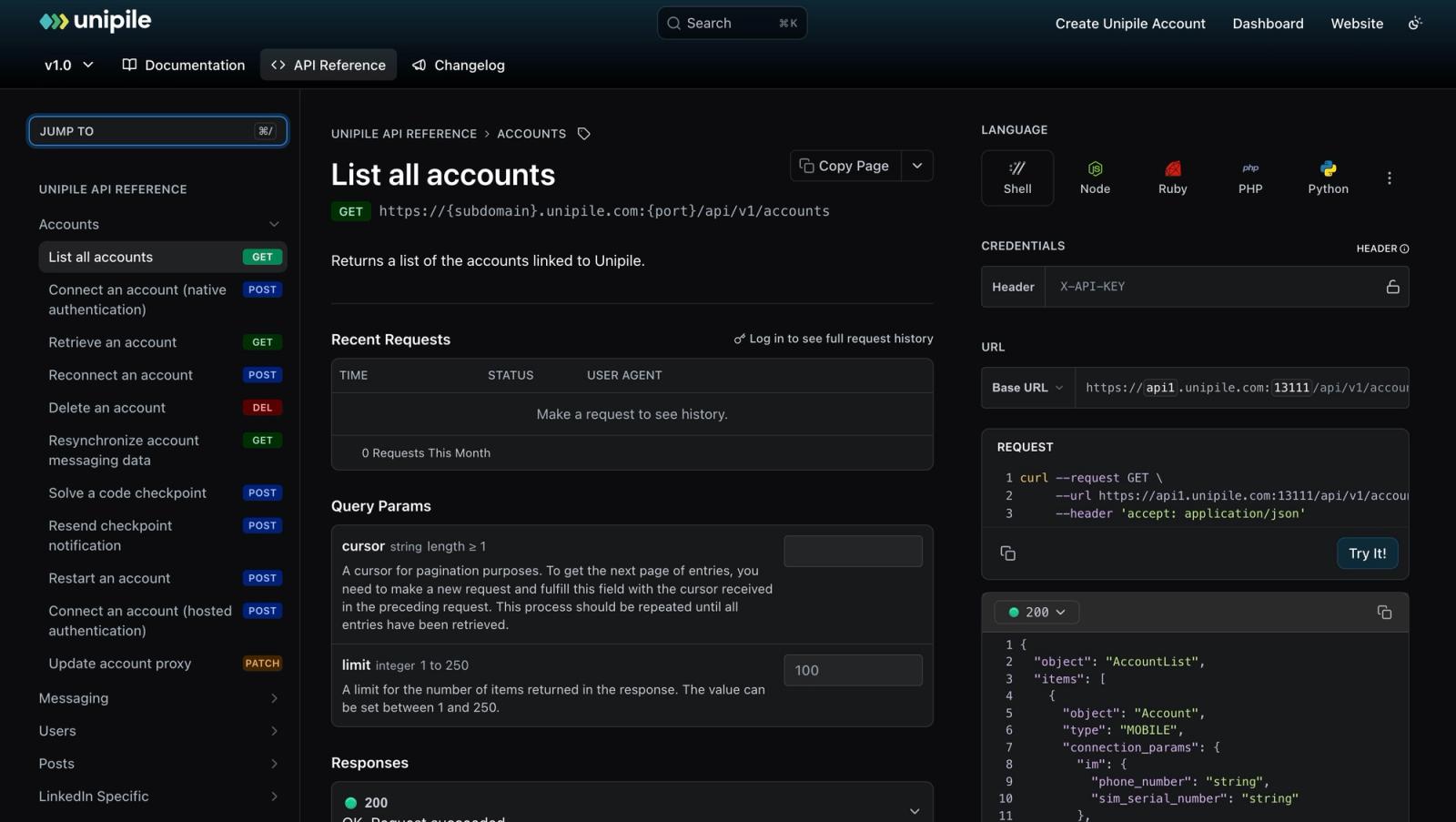
The core primitive is the linked account. Your user connects their LinkedIn profile, WhatsApp number, or mailbox through the hosted auth flow, and from then on your app can send and receive messages as that person, with webhooks pushing new events to you in real time. On top of that, Unipile offers a unified inbox model that synchronizes conversations across channels, LinkedIn profile retrieval and search for enrichment, and a step-by-step guide for building outreach sequences yourself on top of those endpoints.
For LinkedIn specifically, this is unofficial-API territory. An official Messages API technically exists, but it is restricted to approved partners, limited to first-degree connections, and explicitly excludes automated or scheduled sends, so everything the market calls LinkedIn outreach runs through member accounts, which is how Unipile works. To its credit, account protection is built in, with proxy management and rate limiting designed to keep linked accounts within sane behavior. That reduces risk; it does not remove it. What actually gets LinkedIn accounts restricted is covered in our guide on whether LinkedIn automation is safe, and it applies to anything built on Unipile too.
Want the engine, not just the endpoints?
Swarmhit ships multi-sender LinkedIn campaigns, a unified inbox, and managed account safety, with API and webhook access. Pricing is public: LinkedIn is tiered per connected sender, from $16.90 a month for the first 50 down to $6.90 between 1,501 and 2,500 senders, and cold email starts at $59 a month for 50,000 sends.
We do the sequencing work. You build the rest.
What is the developer experience like?
Unipile is API-first, and the tooling reflects it. The only official SDK is Node.js, and even that is optional by Unipile's own description; every other language talks plain REST with a bearer token. The MCP server is a genuine differentiator: it lets AI-powered editors like Cursor and Windsurf, and clients like Claude Desktop, work directly against your Unipile API and its documentation, which matters if your integration is being built or operated by agents.
For no-code builders the picture is split. n8n gets first-class treatment, with dedicated documentation pages, webhook setup guides, and example workflows. Make.com does not have a native Unipile app: Unipile's own guide wires it up through Make's generic HTTP module, calling the REST endpoints directly. It works, but it is configuration rather than drag-and-drop, which is worth knowing if Make is your automation layer.
One small sign to watch on channel breadth: the pricing FAQ lists X and Messenger as coming soon, while the hosted-auth documentation marks both integrations as no longer maintained. The core channels, LinkedIn, WhatsApp, Instagram, Telegram, Gmail, Outlook, and IMAP, are actively maintained; the edges of the roadmap are less settled.
Unipile pricing at a glance
Unipile costs €49 or $55 a month for up to 10 connected accounts, then a per-account rate that falls with volume, billed post-paid on the peak number of accounts linked at the same time. The summary below covers what matters for this review; our Unipile pricing guide has the full rate card in both currencies, the monthly cost at 10 to 5,000 accounts and the band edges worth knowing before you scale.
€49/mo
Unipile's monthly minimum, at about €5 per connected account (verified October 2026)
| Item | Unipile pricing (verified October 2026) |
|---|---|
| Starting price | €49 or $55 a month for up to 10 accounts, then about €5 per account |
| Monthly minimum | €49 (about $55), post-paid |
| Free trial | 7 days, no credit card |
| Billing model | Post-paid on peak connected accounts per 30-day window |
| Volume discounts | Rates step down from 51 accounts to 3.00 EUR above 5,000 |
| Feature gating | None: all channels and endpoints on every tier |
What are the pros and cons of Unipile?
Unipile at a glance
Pros
- One unified API across LinkedIn, WhatsApp, Instagram, Telegram, email, and calendars
- No feature gating: every plan gets all channels, webhooks, and hosted auth
- Transparent per-account pricing with a low entry point and a card-free trial
- A step-by-step sequence-building guide plus MCP, SDK, and n8n tooling for developers
- Built-in account protection with proxy management and rate limiting
- SOC 2 Type II certified and GDPR compliant, with a 99.9% uptime commitment
Cons
- An API, not a product: the app your users touch, campaign workflows, and operations are still yours to build
- No lead database or prospecting data layer; you bring your own targets
- LinkedIn access is unofficial, so provider-side limits and account risk still apply
- Per-account pricing compounds at fleet scale, and post-paid peak billing can surprise you
- G2 reviewers note a rough interface and occasional file-type friction
What do users say about Unipile on G2?
Unipile holds a 4.3 out of 5 rating on G2 across 15 reviews as of August 2026, a sample small enough to read individually rather than statistically. Worth knowing before you weigh them: most of the older reviews date to 2023 and describe Unipile's earlier unified-inbox desktop app, while the newest ones cover the API product this Unipile review is about. On the positive side, reviewers consistently highlight how much it simplifies multi-channel communication, the time saved by centralizing messaging behind one integration, and responsive, knowledgeable live support.
The criticism is real but narrow, and much of it targets that older desktop app: a rough interface, friction with file types such as Word documents and images, and setup difficulties with QR-code connections. The most substantive API-era complaint is operational rather than conceptual: a 2026 reviewer who praised the live support also reported that missing request logs made it hard to diagnose why connected accounts were getting disconnected. Nothing in the negative themes challenges the core value proposition; they read like the growing pains of an infrastructure product.
What are Unipile's limitations?
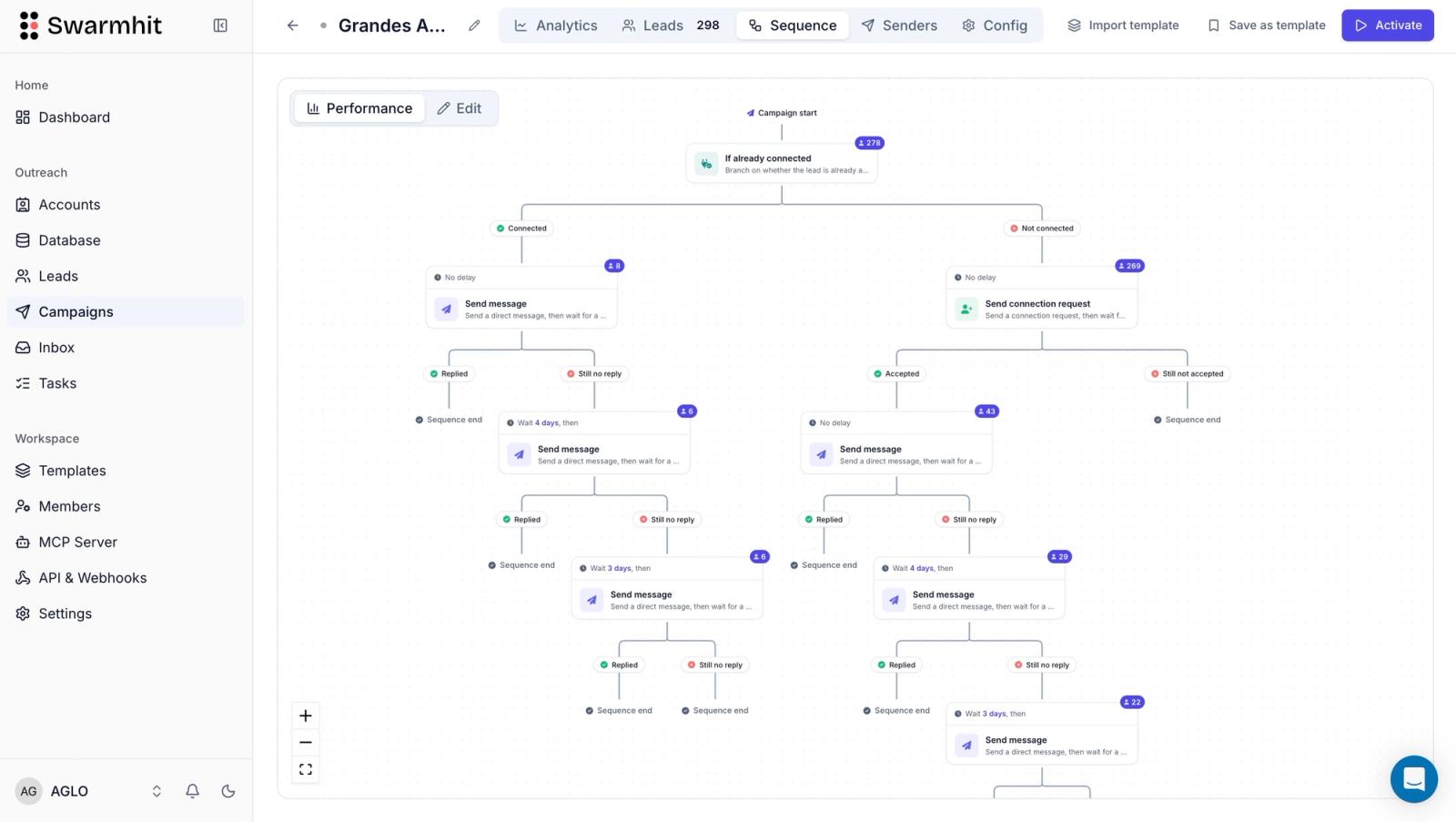
The honest framing: Unipile solves the transport problem and gives you building blocks, but no campaign engine and not the product. Its documentation contains no sequence or campaign endpoints; what it offers is a how-to guide that walks you through building the sequencing logic yourself, recommending 30 to 50 invitations per day and noting that contacting 1,000 profiles takes approximately five weeks, with rescheduling around API errors left to your code. After integrating it you still need to build the interface your team works from, reply handling and inbox workflows, the personalization layer, and the operational safety playbook for every LinkedIn account you connect. That is weeks to months of product work, and we say that having documented what building a LinkedIn sequencer actually takes.
Second, Unipile brings no data: there is no lead database or prospecting search beyond retrieving LinkedIn profile information, so you pair it with a data provider. Third, the LinkedIn channel is unofficial by nature, which means provider limits, checkpoint challenges, and restriction risk are inherent to the category, whoever your API vendor is.
Is Unipile safe to use with LinkedIn accounts?
Any honest Unipile review has to separate two kinds of risk. The first is contractual: LinkedIn's User Agreement, in its section 8.2 list of don'ts, prohibits using bots or other unauthorized automated methods to access the services and developing or using software, scripts, or robots to scrape or copy them. That applies to the whole category Unipile operates in, and its own FAQ is unusually candid about the mechanism: for LinkedIn, WhatsApp, and Instagram, Unipile states that it operates through reverse engineering. None of this is specific to Unipile, but it frames what safe can and cannot mean here.
Within that frame, Unipile's transport-level protections are real and documented. It automatically assigns a fixed proxy to each sensitive account, picked near the user's location by default, with the option to choose a country or supply your own. Checkpoint handling is exposed as first-class API endpoints: when LinkedIn throws a 2FA code, an OTP, an in-app validation, or a CAPTCHA at a connecting account, your application can resolve it programmatically, with roughly five minutes to solve before the connection fails. Rate-limit signals in response headers help your app adapt its pacing.
What Unipile does not do is drive behavior for you, and its documentation says so plainly. The docs suggest around 100 profile visits per account per day while noting that this is a recommendation and that Unipile does not limit your requests. Pacing is advice addressed to the developer: space calls out instead of chaining them at fixed intervals, randomize timing across working hours, start low on new or inactive accounts, and connect real accounts only. Unipile publishes no statistics on restriction or disconnection rates, and nothing in its documentation guarantees an account will not be restricted.
The takeaway for buyers: Unipile handles transport safety about as well as a raw API can. Behavioral safety, meaning who you contact, at what volume, on which warmed-up accounts, remains entirely your product's responsibility, and that layer decides outcomes far more than the choice of API vendor.
How does Unipile compare with the Swarmhit Smart API?
Start with the real decision, because it is usually not Unipile versus another messaging API. It is whether you want to build an outreach engine yourself or use one that is already built and operated. If you are creating a product whose core value is messaging, building on an API is the point. If outreach is the outcome you are after, the API is only the first of many things you will have to assemble.
The answer depends on whether you want to build or to run. If you want to run outreach (or embed it in your product) without building the engine, Swarmhit is the managed engine next to Unipile's raw API. It ships multi-sender campaigns with rotation, a unified inbox with AI interest tags, AI personalization drawn from each prospect's profile, posts, and company news, and native LinkedIn actions including voice notes, post comments, and InMail. Integration happens through the API and webhooks, so your CRM, product, or AI agents connect to a working engine instead of bare endpoints.
Account safety is managed on every plan (dedicated proxy per sender, auto-warmup, health checks, smart caps), and a 1B+ contact database covering 60M companies, refreshed weekly, fills the data gap Unipile leaves open, with free monthly credits and pay-as-you-go beyond them. Pricing is public: LinkedIn is tiered per connected sender, from $16.90 a month for the first 50 down to $6.90 between 1,501 and 2,500 senders, and cold email starts at $59 a month for 50,000 sends. Each band is priced at its own rate, so adding senders lowers what the next ones cost rather than repricing the fleet you already have. The premium over a raw API buys the work itself: Swarmhit absorbs LinkedIn's weekly algorithm changes behind 250+ monitored safeguards and runs the campaign logic, so you build on a working foundation instead of spending two to three months rediscovering it with your clients' accounts at risk. Swarmhit does the sequencing work; you build the rest.
| Unipile | Swarmhit | |
|---|---|---|
| What you get | Unified messaging API and endpoints | Managed outreach engine plus API and webhooks |
| LinkedIn messaging | Yes, via accounts you connect | Yes, native actions incl. voice notes, comments, InMail |
| Sequencing | No sequence endpoints; a build-it-yourself guide, scheduling lives in your code | Built in: multi-sender campaigns with rotation |
| Unified inbox | Inbox API; you build the UI | Built in, with AI interest tags |
| AI personalization | Not built in | Yes: reads profile, posts, and company news |
| Lead database | None (profile retrieval only) | 1B+ contacts, 60M companies, free monthly credits then pay-as-you-go |
| Dev tooling | MCP, SDK, n8n, webhooks | API and webhooks |
| Verified 2026 pricing | About €5 per account/mo, €49 minimum | From $16.90 per sender a month, tiered down to $6.90 |
| Best for | Developers building messaging products | Teams and AI builders who want a working engine |
FAQ
What is Unipile?
Unipile is a unified messaging API that lets developers integrate LinkedIn, WhatsApp, Instagram, Telegram, email, and calendar providers into their own software through a single REST interface with webhooks and hosted authentication. Its customers are SaaS builders in outreach, recruiting, CRM, and AI agents.
What channels does Unipile support in 2026?
In 2026 Unipile supports LinkedIn, WhatsApp, Instagram, and Telegram for messaging, Gmail, Outlook, and IMAP for email, and Google Calendar and Outlook Calendar for scheduling. Its pricing FAQ lists X and Messenger as coming soon, though the hosted-auth docs currently mark both as no longer maintained.
Does Unipile gate features by plan?
No. Every Unipile tier includes all channels, all endpoints, webhooks, hosted authentication, and account protection; pricing varies only with the number of connected accounts. That flat feature model is one of its genuine strengths.
Is Unipile safe for LinkedIn accounts?
Unipile reduces risk with automatically assigned fixed proxies, checkpoint-resolution endpoints, and rate-limit signals, and its docs publish LinkedIn limits of 80 to 100 invitations per day. But it enforces no behavioral limits on your requests, offers no guarantee against restriction, and LinkedIn automation through any unofficial API carries inherent risk. Safe outcomes depend mostly on sending behavior and account infrastructure, which our LinkedIn automation safety guide covers in detail.
Is Unipile worth it in 2026?
Yes, if you are a developer building a product that needs multi-channel messaging and you have the roadmap to build the product and safety layers around it. If your goal is running outreach rather than building outreach software, a managed platform such as Swarmhit delivers the outcome faster, with public pricing from $16.90 per sender a month.
Should I build on Unipile or on a managed engine like Swarmhit?
Build on Unipile when messaging is your product and you have the roadmap to write the sequencer, inbox and safety layer around it. Pick Swarmhit when outreach is the outcome you need, since the engine, the inbox and the account safeguards already run behind its API and webhooks. For raw-API substitutes, LinkupAPI and Linked API cover LinkedIn actions, and Nylas covers the email and calendar side; our guide to alternatives to Unipile compares eight of them with verified pricing.
Conclusion
The verdict of this Unipile review is straightforward. If you are a developer who wants maximum flexibility, Unipile remains one of the strongest messaging APIs available in 2026, with honest pricing and a G2 reception that backs it up. If your objective is simply to launch LinkedIn outreach, however, building everything on top of an API may cost significantly more time than adopting a platform that already includes sequencing, inbox management, and account safety. For the wider landscape of outreach tooling, start with our guide to the best LinkedIn automation tools.


