

PhantomBuster is a cloud automation platform built from small task-runners called Phantoms, not a dedicated LinkedIn sequencer with an inbox. Our phantombuster review found the entry paid tier, Start, costs 69€ a month on monthly billing or 56€ a month billed annually, as listed on PhantomBuster's own pricing page in September 2026. The verdict: it is a strong toolbox for scraping, enrichment and cross-platform automation if you are willing to assemble your own workflow, and a poor fit if you want a managed sequencer with multi-sender rotation out of the box.
PhantomBuster says its automations run for "100,000+ professionals" and push through "270K+ automations launched daily," with "2.5M+ satisfied users since 2016," according to its own pricing page claims. Those figures describe reach, not fit. The platform rewards people who are comfortable configuring individual Phantoms and Workflows, and it charges for execution time and automation slots rather than for seats or outcomes, which changes how the sticker price behaves once you start running things every day.
PhantomBuster review: what is it, and who is it for?
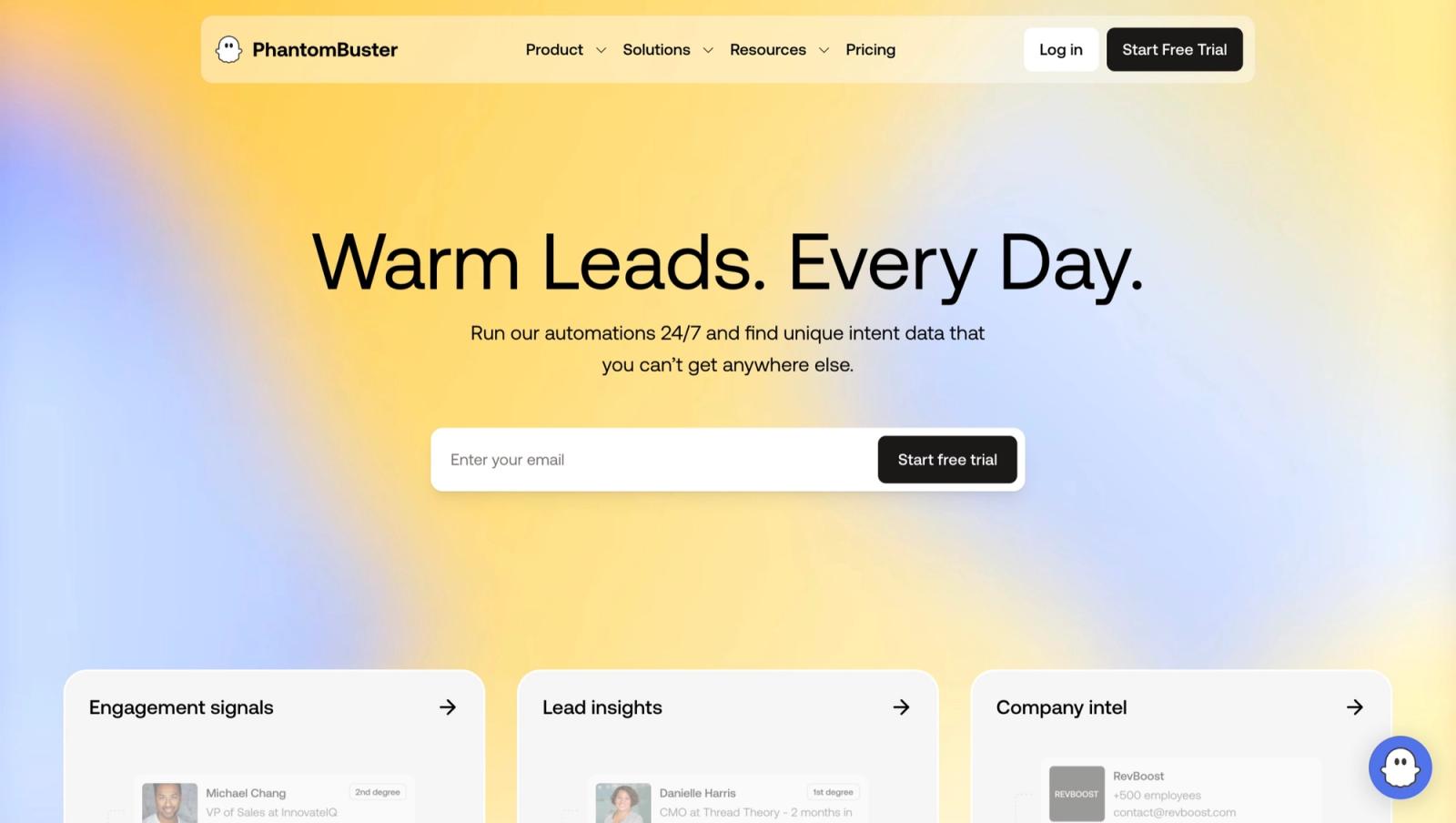
PhantomBuster describes itself as a library of individual automations, called Phantoms, that reach beyond LinkedIn into Sales Navigator, Instagram, Google Maps and other public web sources. Its own FAQ is explicit about the boundary it wants users to stay inside: "PhantomBuster is not designed for buying pre-made lead lists or scraping private or restricted data," and it says it "only works with publicly available data accessed through your own accounts." That framing matters for who it suits. It is built for people who want to wire together a specific chain of steps, not for people who want a finished LinkedIn outreach product.
That makes PhantomBuster a natural fit for growth teams, agencies and solo operators who already think in terms of workflows and are happy to sit inside a broader linkedin automation tools market rather than buy a single packaged product. It is a weaker fit for anyone who wants a ready sequencer the moment they sign up. If PhantomBuster's assemble-it-yourself model does not suit your team, we cover more managed options in our phantombuster alternatives roundup, and each Phantom behaves a lot like the purpose-built scrapers we describe in our linkedin scraper api guide, except it runs inside PhantomBuster's own cloud interface rather than as a raw API you call yourself.
Beyond LinkedIn, the same Phantom model applies to Google Maps business listings, Instagram followers and posts, and general web pages, which is why PhantomBuster reads more like a general scraping and automation shop than a category-specific tool. A recruiter who wants to pull a Sales Navigator search into a spreadsheet, an agency that wants to enrich a list with company news before outreach, and a marketer scraping Google Maps listings for a local campaign are all reasonable users of the same four plans, because none of them are paying for a feature specific to their use case. They are paying for slots, execution time and credits that any Phantom can draw from.
How do Phantoms, Workflows, slots and execution time work?
PhantomBuster's own FAQ defines four terms that decide what you can actually run on a given plan, and understanding them matters more than the sticker price. "Phantoms are individual automations. Each Phantom performs one task," the FAQ states, while "Workflows are ready-made chains of Phantoms" for people who do not want to wire steps together themselves. Two further terms cap capacity rather than price: "Slots are the number of automations you can run at the same time," and "Execution time is the total monthly time your automations can run."
Those four meters interact. A plan's slot count sets how many Phantoms or Workflows can be active at once, and execution time is the shared monthly budget every one of those runs draws from, regardless of how many slots you have open. PhantomBuster also confirms the automations do not depend on your browser staying open: "PhantomBuster runs in the cloud. Once a Phantom or Workflow is launched, it continues running even if your browser is closed." That is a real advantage over browser-based tools, and it is also why the platform prices around execution minutes rather than around a flat monthly fee: cloud time has a cost regardless of whether you are watching it run.
Run your LinkedIn and email outreach on Cadency
No Phantoms to assemble: one campaign runs across every LinkedIn sender and every mailbox, one sender per lead, with per-sender ceilings and one unified inbox.
From $89 a month with 2 LinkedIn senders included.
What does PhantomBuster pricing look like in 2026?
PhantomBuster pricing runs on four tiers, and PhantomBuster's pricing page, read with both billing toggles in September 2026, showed every figure in euros, so every price below is quoted exactly as displayed rather than converted. The page localizes currency by region, and this is the only place we will note that: treat every euro figure in this article as what the vendor's own page showed us.
| Plan | Monthly billing | Annual billing (per month) | Billed annually | Slots | Execution time a month |
|---|---|---|---|---|---|
| Trial | Free | Free | Free | 5 | 2 hours in total (14-day trial) |
| Start | 69€ | 56€ | 672€ a year | 5 | 20 hours |
| Grow | 159€ | 128€ | 1,536€ a year | 15 | 80 hours |
| Scale | 439€ | 352€ | 4,224€ a year | 50 | 300 hours |
The annual totals come straight from multiplying PhantomBuster's own monthly-on-annual figures by twelve: 56€ x 12 is 672€, 128€ x 12 is 1,536€, and 352€ x 12 is 4,224€. Compared against paying the monthly rate for a full year, that works out to a real saving of 156€ a year on Start (828€ paid monthly versus 672€ billed annually), 372€ a year on Grow (1,908€ versus 1,536€), and 1,044€ a year on Scale (5,268€ versus 4,224€). PhantomBuster's own page describes annual billing as saving close to 20 percent, and our recalculated euro figures land in that same range across all three paid tiers.
Every plan also carries separate credit meters that do not scale with slots: Start includes 500 email credits, 10,000 AI credits and 1,000 URL finder credits a month with unlimited exports, Grow steps up to 2,500 email credits, 30,000 AI credits and 10,000 URL finder credits, and Scale reaches 10,000 email credits, 90,000 AI credits and 20,000 URL finder credits. The free Trial runs for 14 days with 2 hours of execution time in total, not per month (as read on phantombuster.com on 30 September 2026), and it caps exports at 10 rows, which is enough to confirm a Phantom is configured correctly but not enough to run a real list.
1,044€
Scale plan's annual saving versus paying month to month, calculated from PhantomBuster's own displayed prices, September 2026
A useful way to size what the entry tier actually buys is to look at Start's 20 hours of execution time a month. Spread evenly across roughly 30 days, that is about 40 minutes of automation runtime a day, whether that is one Phantom running for the full 40 minutes or several smaller ones sharing the same budget across up to 5 concurrent slots. A LinkedIn profile scraper that paces itself to stay under safe daily action counts spends a meaningful share of that runtime simply waiting between steps on purpose, which is worth knowing before you assume 20 hours means 20 hours of active scraping.
The same arithmetic scales up on the higher tiers. Grow's 80 hours a month averages to about two hours and forty minutes of runtime a day, spread across up to 15 concurrent slots, which is enough headroom to run several Phantoms on a schedule rather than queuing them one after another. Scale's 300 hours a month works out to roughly ten hours a day across up to 50 slots, which is the tier built for agencies running many client accounts in parallel rather than for a single operator's own workflow. In every case, the slot count and the execution-time budget move together: more slots without more execution time just means more automations competing for the same monthly runtime.
What happens when you run out of execution time?
PhantomBuster pauses your automations rather than billing you for going over. Its own FAQ is direct about this: "Your automations will pause until your execution time resets or you upgrade your plan. No overage charges are applied automatically." That is a meaningfully different model from a per-action or per-message price: there is no surprise invoice, but there is also no way to push through a busy week without either waiting for the monthly reset or moving up a tier. Slots behave differently: the slot count is a hard ceiling on how many Phantoms or Workflows can be active at the same time, so once every slot on your plan is busy, running more at once means moving to a plan with a higher slot count rather than a bigger execution-time budget alone.
What integrations and MCP support does PhantomBuster offer?
PhantomBuster lists native connections to "HubSpot and other CRMs" alongside automation platforms including "n8n, Zapier or Make," plus its own MCP server for wiring Phantoms into an AI agent's tool set. That combination is aimed squarely at teams who already have a workflow tool doing the orchestration and want PhantomBuster to supply the scraping and enrichment steps that feed it. If you are evaluating that route, our guides on n8n and LinkedIn, Make.com and LinkedIn and LinkedIn MCP servers cover how those connections behave in practice, including where a Phantom's output needs reshaping before another tool can use it.
How does PhantomBuster's own API work?
PhantomBuster's API documentation describes HTTPS endpoints that return JSON, split across two versions, with v2 current and its OpenAPI definition naming api.phantombuster.com/api/v2 as the server. Authentication uses an API key generated once in the workspace settings, meant for a request header rather than a URL parameter, since the docs warn a key in a query string can end up saved in logs. The endpoint set launches or stops an agent, fetches its most recent output, and reads, saves or deletes stored scripts, leads and lists, several still marked Beta. What the reference leaves out matters just as much: it lists no endpoint that sends a LinkedIn message, reads a LinkedIn inbox, or lists conversations as its own resource. Those actions exist only as Phantoms you launch and whose output you fetch, the same gap the pricing page shows when it lists no unified inbox. Our PhantomBuster API guide walks through keys, endpoints and webhooks in detail.
What do PhantomBuster's webhooks and MCP server cover?
Custom webhooks fire once an agent finishes running, posting a payload that includes the agent name, container ID, how long the run took, its exit code and a result object, configured per agent under Advanced Notification Settings. One limitation is worth knowing before wiring this into a pipeline: custom request headers are not supported, so a shared secret has to travel as a query parameter instead. The MCP server, hosted separately at mcp.phantombuster.com over OAuth, exposes a narrower slice of that same API: launching, checking and stopping Phantoms, pulling results and logs, and searching or updating saved leads, which is what lets an AI agent drive a Phantom without calling the raw endpoints itself.
Is PhantomBuster safe for your LinkedIn account in 2026?
Our phantombuster review found that PhantomBuster's own FAQ sets the boundary it wants customers to stay inside, stating plainly that it is "not designed for buying pre-made lead lists or scraping private or restricted data" and that its automations work "only with publicly available data accessed through your own accounts." That is a real constraint, not marketing language: it rules out buying data dumps and scraping content that sits behind a private connection you do not have.
What that statement does not do is remove restriction risk from the LinkedIn account you connect. Any automated action on LinkedIn, regardless of which tool triggers it, runs against LinkedIn's User Agreement, which prohibits automated data collection and scraping in its terms. PhantomBuster's own account-only, publicly-available-data policy reduces one category of risk, but it does not publish a specific action count that is guaranteed safe, and neither does LinkedIn. We cover how that restriction risk actually plays out, including what recovery looks like once an account is flagged, in is LinkedIn automation safe, and we break down the daily and weekly caps operators actually report in LinkedIn connection limits and what happens after a flag in LinkedIn account restricted.
What does PhantomBuster's pricing page leave out?
PhantomBuster's pricing page does not list a sequencer with a unified inbox, and it does not list multi-sender rotation across LinkedIn accounts, on any of its four tiers as of September 2026. That is not the same as saying the platform cannot be configured to approximate parts of that behavior with enough Phantoms wired together. It means neither feature is a line item you are buying, the way execution time, slots and credits are. Teams that need a shared inbox for managing replies across several connected senders typically end up pairing PhantomBuster with a separate tool for that layer, or building the coordination themselves with the workflow integrations covered above.
PhantomBuster at a glance
Pros
- Automation library that reaches well beyond LinkedIn, including Sales Navigator, Instagram and Google Maps
- Cloud execution that keeps running once a Phantom is launched, even with your browser closed
- Unlimited users on every paid plan, with no per-seat pricing
- Native MCP server plus HubSpot, n8n, Zapier and Make integrations listed on its FAQ
Cons
- No unified inbox or sequencer listed on its pricing page
- No multi-sender rotation listed on its pricing page
- Billing is based on execution time and slots, so busy weeks can pause automations mid-month
- Assembling and maintaining individual Phantoms takes real setup and upkeep work
How does PhantomBuster compare with Cadency for outreach?
PhantomBuster stays the broader extraction and automation toolbox: if you need to scrape Google Maps listings, enrich a spreadsheet, or chain a dozen small automations together, it remains a reasonable place to do that. Cadency, built on Swarmhit, is not trying to replace that, and it is not a scraping toolbox or a data API. It is outreach software for sales teams, recruiters and go-to-market agencies that send volume on LinkedIn and email: one campaign runs across every LinkedIn sender and every mailbox, one sender per lead, with per-sender ceilings, a dedicated proxy per sender and one unified inbox. The data is built in, with a native people and company database, waterfall enrichment paid per verified hit, and CSV and Sales Navigator imports. Essential costs $89 a month with 2 LinkedIn senders included ($62 a month on annual billing), and Small Team $199 with 5. Where PhantomBuster asks you to assemble a sequence out of Phantoms, Cadency ships the sequencer already built. For the wider field, see our PhantomBuster alternatives guide.
Both tools share the same account-based principle: on LinkedIn, Cadency works only through the accounts connected to it as senders, each on a dedicated proxy under its own ceiling and pacing, ceilings Cadency sets on top of the account rather than limits LinkedIn itself publishes. There is no cookie-less scraping and no data resale, the same boundary PhantomBuster describes for its own Phantoms.
| Feature | PhantomBuster | Cadency |
|---|---|---|
| Core model | Individual Phantoms and Workflows you assemble | One campaign across every LinkedIn sender and every mailbox, one sender per lead |
| Unified inbox | Not listed on its pricing page | One assignable thread per lead across LinkedIn and email |
| Multi-sender rotation | Not listed on its pricing page | Rotation across every LinkedIn sender, with per-sender ceilings |
| Pricing basis | Execution time, slots and credit meters | Per plan, with LinkedIn senders and email volume included |
| Entry price | 69€ a month, 56€ billed annually | $89 a month with 2 LinkedIn senders included, $62 a month on annual billing |
| Account access | Publicly available data via your own accounts | Sends through connected LinkedIn accounts, with a native people and company database built in |
The honest read is that these solve different jobs. If your team's bottleneck is data extraction across many platforms, PhantomBuster's Phantom library covers more ground. If the bottleneck is running and managing an actual outreach sequence across several LinkedIn senders and mailboxes with a shared inbox, that is what Cadency is built for, and it is a job PhantomBuster's own pricing page does not list a feature for.
FAQ
What is PhantomBuster used for?
PhantomBuster is a cloud automation platform for running individual task-runners called Phantoms and pre-built Workflows across LinkedIn, Sales Navigator, Instagram, Google Maps and other public web sources. Teams use it for lead scraping, profile enrichment, email finding and connecting automations into a CRM or workflow tool such as n8n, Zapier or Make, rather than for a complete LinkedIn outreach sequence with an inbox.
What does PhantomBuster's Start plan include?
PhantomBuster's Start plan costs 69€ a month on monthly billing or 56€ a month billed annually, which totals 672€ a year. It includes 5 automation slots, 20 hours of execution time a month, 500 email credits, 10,000 AI credits and 1,000 URL finder credits, plus unlimited exports, according to PhantomBuster's pricing page read in September 2026.
What does the PhantomBuster free trial include?
PhantomBuster's free trial lasts 14 days and includes unlimited users, 5 automation slots, 2 hours of execution time in total, 50 email credits, 1,000 AI credits and 100 URL finder credits, plus access to its MCP server, according to PhantomBuster's own site as read on 30 September 2026. Exports are capped at 10 rows during the trial, which is enough to confirm a Phantom's setup but not to run a real list.
Is PhantomBuster worth it in 2026?
PhantomBuster is worth it if you want a flexible automation library billed by execution time rather than by seat, and you are comfortable configuring Phantoms and Workflows yourself. It is a weaker fit if you want a ready-made LinkedIn sequencer with a unified inbox and multi-sender rotation, since neither is listed on its pricing page at any tier as of September 2026.
Does PhantomBuster offer a unified inbox?
PhantomBuster does not list a unified inbox on its pricing page as of September 2026. Its plans describe automation slots, execution time and credit meters for email, AI and URL finding, not a shared inbox for managing LinkedIn replies across multiple senders, so teams that need that layer typically pair PhantomBuster with a separate outreach tool or build the coordination themselves.
Can PhantomBuster run more than one LinkedIn account per plan?
PhantomBuster's plans are unlimited on users rather than priced per seat, and every tier from Start to Scale lists unlimited users with no per-seat pricing on its page. What actually scales instead is slots and execution time: Start includes 5 slots, Grow 15 and Scale 50, which caps how many automations, including ones tied to different connected accounts, can run at the same time.
What happens when a PhantomBuster Phantom runs out of execution time?
PhantomBuster pauses the automation rather than charging extra for going over. Its own FAQ states: "Your automations will pause until your execution time resets or you upgrade your plan. No overage charges are applied automatically." Execution time resets on the monthly cycle, so a paused Phantom starts again once the next billing period begins or the plan is upgraded to a higher tier.
Does PhantomBuster put a LinkedIn account at risk?
PhantomBuster states its automations are "not designed for buying pre-made lead lists or scraping private or restricted data" and that they work "only with publicly available data accessed through your own accounts." That still leaves restriction risk on the connected LinkedIn account, since LinkedIn's User Agreement prohibits automated data collection regardless of which tool runs it, and neither company publishes a guaranteed-safe action count.
Is PhantomBuster a Chrome extension?
PhantomBuster is not a Chrome extension. Its own FAQ states it "runs in the cloud" and that "once a Phantom or Workflow is launched, it continues running even if your browser is closed," unlike browser-based tools that stop the moment the tab closes. That cloud execution is exactly what the execution-time meter on every plan measures and bills for.
Does PhantomBuster support Sales Navigator searches?
PhantomBuster lists Phantoms built around Sales Navigator alongside standard LinkedIn, Instagram, Google Maps and other public sources in its automation library. A Sales Navigator search can be fed into a Phantom the same way a standard LinkedIn search can, and it draws from the same slots and execution time budget as any other automation running on your connected account.
Conclusion
This phantombuster review lands on a genuinely positive verdict for what the platform actually is: a flexible, execution-time-priced automation library that reaches well beyond LinkedIn, running from 69€ a month (56€ billed annually) on Start up to 439€ a month (352€ billed annually) on Scale, with unlimited users on every tier. Its own FAQ is honest about the boundary it enforces, publicly available data through accounts you own and connect, and honest about what happens when you run out of runtime: a pause, never a surprise charge.
Where it falls short is anyone shopping for a finished LinkedIn outreach product. A unified inbox and multi-sender rotation are not listed on PhantomBuster's pricing page at any tier, which means teams that need those specifically are buying a toolbox when what they wanted was a sequencer. If that describes your team, a dedicated outreach platform is the better starting point, and PhantomBuster remains a strong companion for the scraping and enrichment work a sequencer does not do.
For teams running several senders, our pick for that outreach platform is Cadency: one campaign runs across every LinkedIn sender and every mailbox with one unified inbox, and a list exported from PhantomBuster can come in as a CSV import. Cadency began as our internal test bed for the Swarmhit engine, it was never meant to be public, and we kept it running for the sales teams, recruiters and agencies who asked for it. Swarmhit itself is the API for developers who build their own outreach product.


