3 reasons to choose Swarmhit over Dripify
One campaign, every sender
Build a campaign once and Swarmhit rotates it across your whole sender pool. On Dripify, every LinkedIn account is its own subscription, login, and cloned campaign.
One inbox for the whole team
Every reply from every sender in one place, with assignment and interest tags. Dripify's inbox is per-account, and nobody can reply on a teammate's behalf.
Personalization beyond variables
Swarmhit's AI reads the prospect's profile, posts, and company news to draft openers that reference something real. Dripify stops at name and company variables.
| Software | Swarmhit | Dripify |
|---|---|---|
| Run multiple senders | ||
| Built for | Teams and agencies running multiple senders | Individual reps, one account per seat |
| Multi-account model | Native: one workspace, campaigns rotate across your sender pool | One LinkedIn account per subscription; more accounts = more subscriptions, separate logins and billing cycles |
| Sender rotation | Automatic, with per-account limits | None; switching accounts is manual |
| Team features | Roles, assignment, white-label inbox and reports for agencies | Team management gated to the top tier; each user still runs their own account |
| Manage replies | ||
| Inbox | Unified across all senders, with assignment and interest tags; reply on behalf of any sender | Per-account Smart Inbox; no cross-account view, no replying on behalf of teammates |
| Personalize at scale | ||
| Personalization | AI drafts from the prospect's profile, posts, and company news | Template variables (name, company, mutual connections) |
| A/B testing | Included | Up to 4 message variants, gated to the top tier |
| Find prospects | ||
| Prospect data | 1B+ contact database, 60M companies, refreshed weekly; free monthly credits, pay-as-you-go beyond | Import from LinkedIn search URLs (up to 1,000 profiles) or CSV |
| LinkedIn actions | Invites, messages, InMail, voice notes, post comments, profile visits, follows | Invites, messages, likes, profile views, follows, skill endorsements |
| Stay safe and connected | ||
| Account safety | Dedicated proxy per sender, managed auto-warmup, live health checks, smart caps: standard on every plan | Built-in throttling and activity windows; "advanced protection" reserved for the top tier |
| Integrations | Open API, webhooks, and MCP push replies and campaign events into your stack in real time | One-way webhooks; Zapier and Make for the rest |
| Pricing | ||
| Pricing model | $29-$39/month per sender (annual vs monthly) | $39-$79/user/month by tier (annual billing); features unlock as you pay up |
TL;DR verdict
Dripify is a clean, beginner-friendly drip tool built around one LinkedIn account per subscription. It wins on ease of learning and solo pricing. It strains the moment you add accounts: each one needs its own subscription, its own login, its own inbox, and there’s no sender rotation. Swarmhit is built for exactly that moment: campaigns that spread across a sender pool, a unified inbox with reply assignment, and per-sender pricing from $29/month. If you are searching for a Dripify alternative, that moment has probably arrived.
Why teams look for a Dripify alternative
Dripify wins people over solo and loses them at the team stage. The moment a second LinkedIn account joins the motion, everything doubles: another subscription, another login, another inbox to check before standup. Most people typing Dripify alternative into a search bar are not unhappy with the product; they have simply outgrown the one-account shape it comes in.
What should the next tool actually fix? Three things: campaigns that treat many accounts as one sending pool, replies from every account in one inbox a team can share, and pricing that scales by sender instead of by subscription. Hold every Dripify competitor to those three, and the shortlist gets short quickly.
What does Dripify get right?
Credit where due: Dripify is one of the easiest LinkedIn automation tools to learn. The interface is clean, the drip-campaign builder walks you through importing prospects (from a LinkedIn search URL or CSV) and sequencing actions with conditional splits, and you can be live within an hour. Sequences can be edited even after a campaign is running, leads can be tagged and filtered, and the analytics map your funnel stage by stage with acceptance and reply rates per campaign. The onboarding materials are among the best in the category. For one person automating one LinkedIn account, none of this is sarcasm: it’s a good tool.
The problems start when “one person, one account” stops describing you.
Where does Dripify hit its ceiling?
What happens when you add a second LinkedIn account?
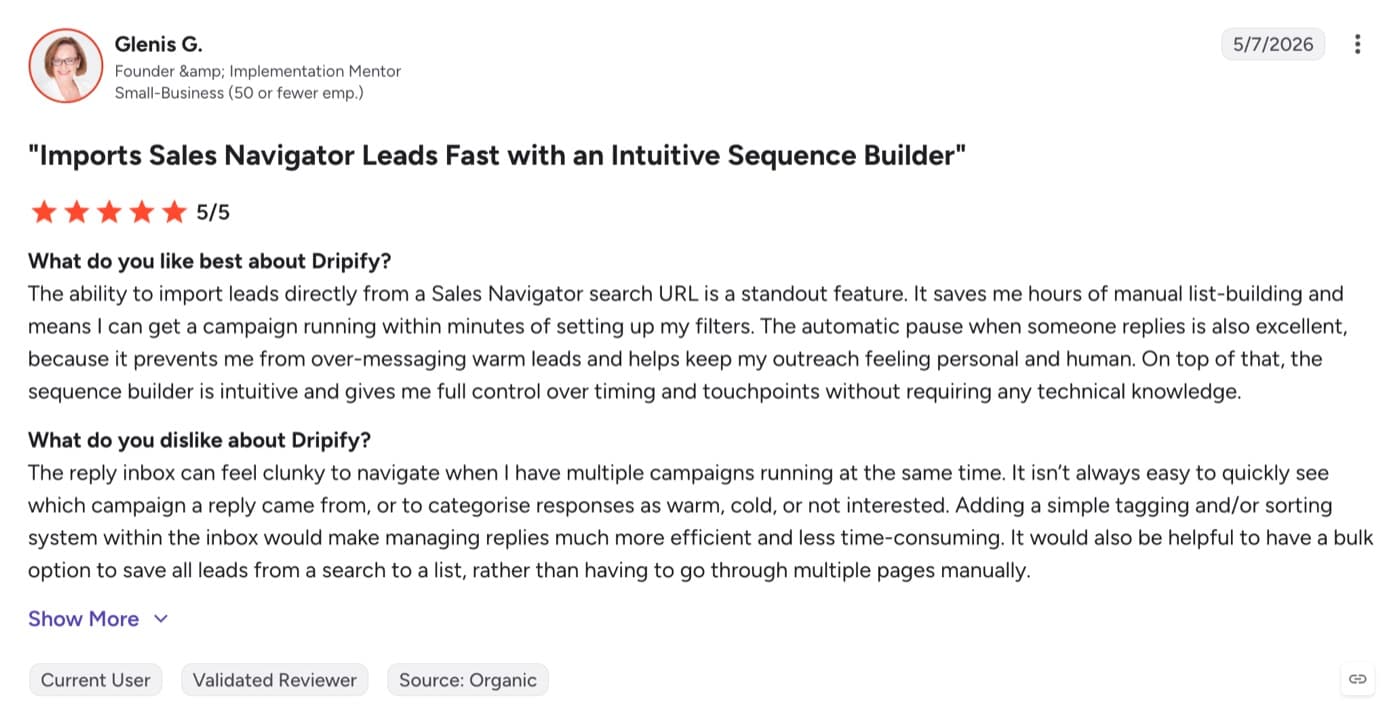
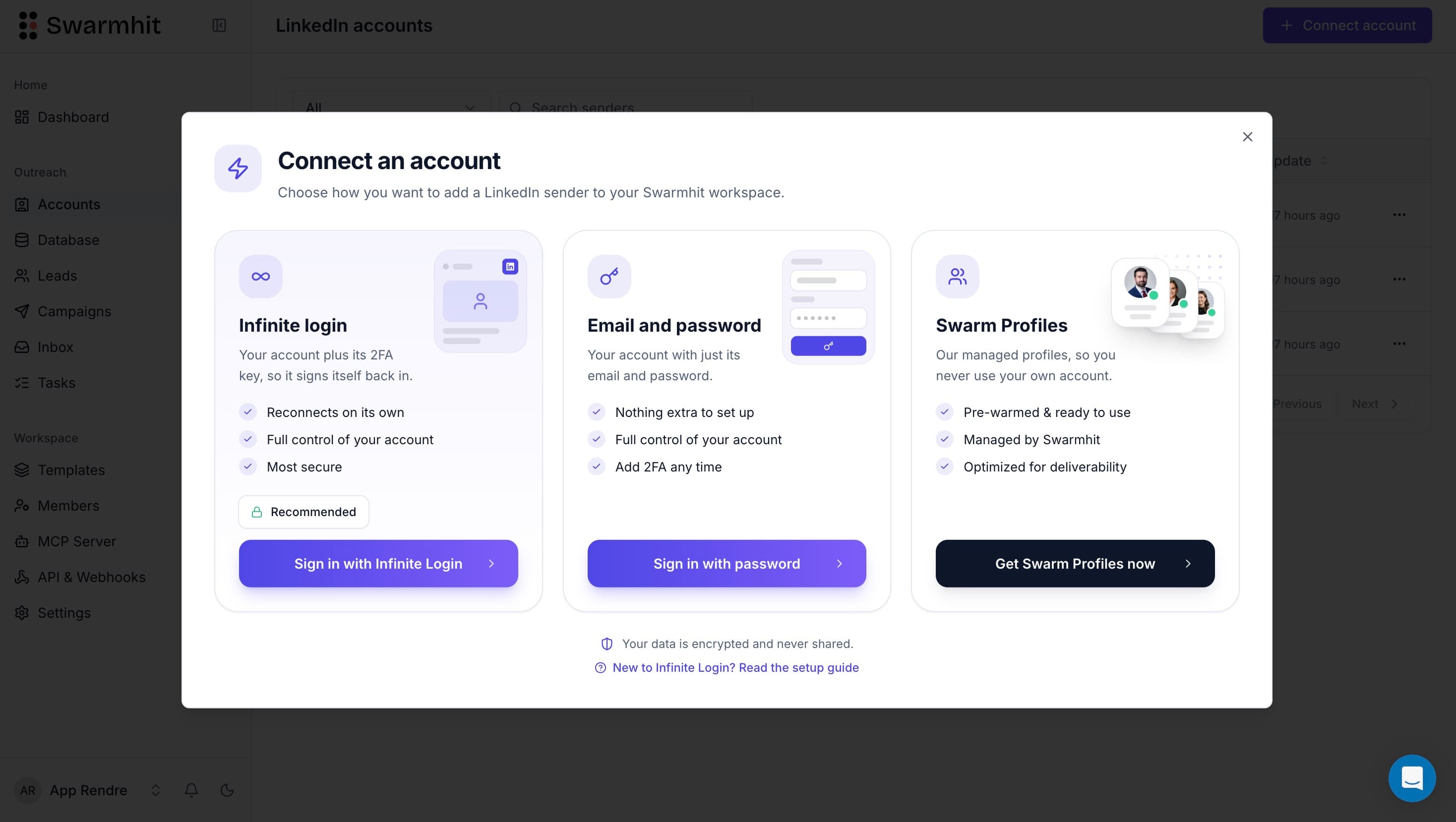
Each Dripify subscription drives one LinkedIn account. Want to run five accounts? That's five subscriptions, five billing cycles, five separate logins, and Dripify's own guidance to run separate browser instances and IP addresses for each. There is no sender rotation: a campaign belongs to an account, so scaling means cloning campaigns account by account and switching between them manually. Users running multi-account setups consistently describe this as the tool's biggest operational headache.
Can your team share an inbox?
No. Dripify's Smart Inbox is genuinely pleasant for a single account: leads-only filtering, notes, tags. But it's per-account. There's no view of every conversation across all your senders, and nobody can reply on behalf of a teammate. For a team or agency, follow-up speed ends up depending on who owns which login.
How deep do the integrations go?
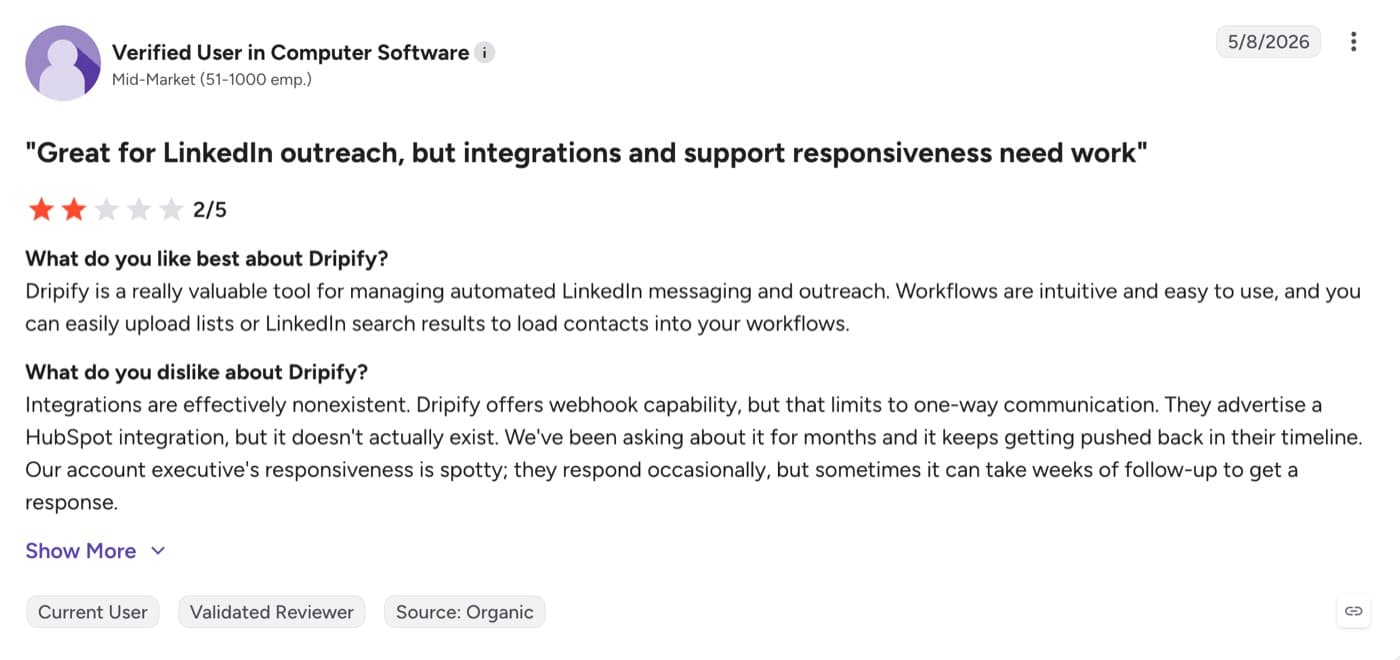
CRM connections run mostly through Zapier, Make, and one-way webhooks. That's fine for pushing a lead name into a spreadsheet; it's limiting when you want replies, connection events, and campaign status flowing into the rest of your stack in real time, or when you want to build custom workflows on top of your outreach. Swarmhit exposes an open API, webhooks, and MCP for exactly that.
What does the pricing actually gate?
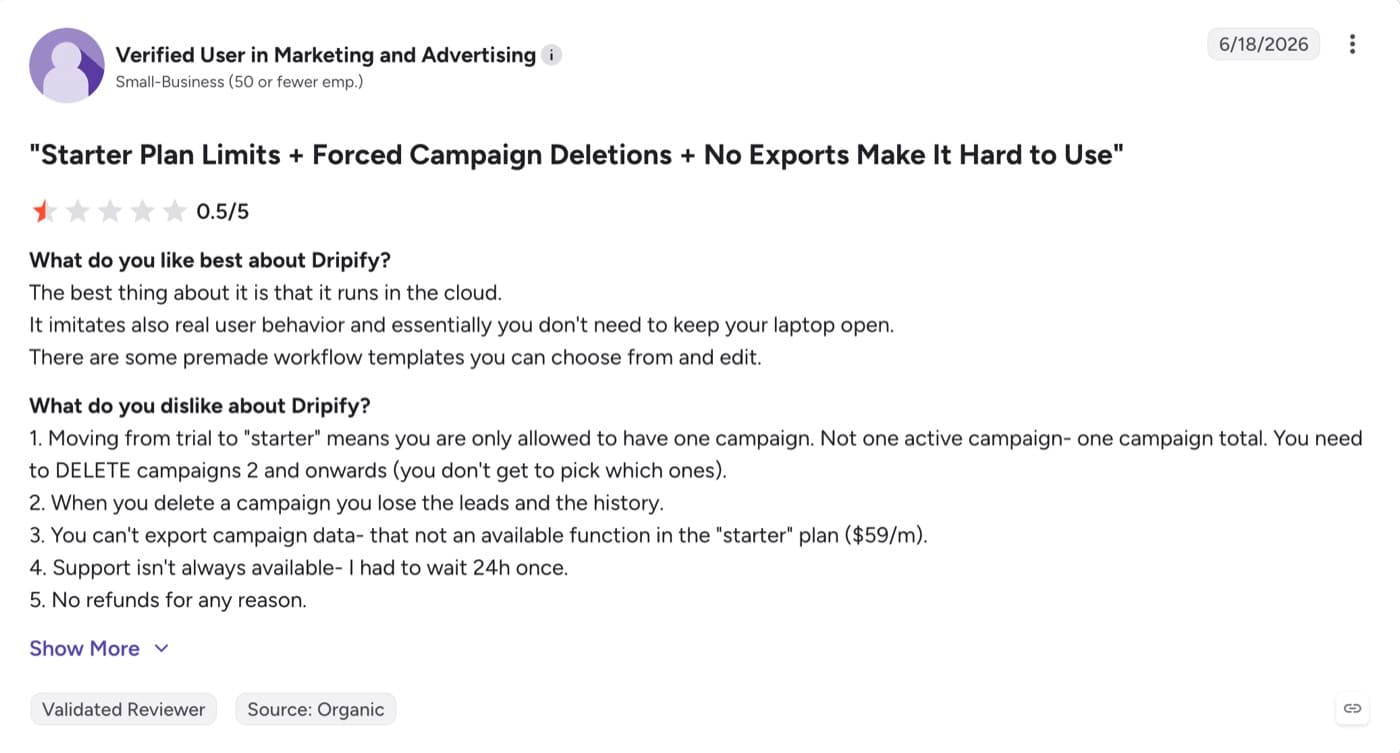
Dripify's tiers run $39, $59, and $79 per user per month on annual billing. The catch is what lives where: the entry plan caps you at one drip campaign with limited daily quotas, full quotas and webhooks arrive at $59, and team management, lead tagging, step analytics, A/B testing, and notably "advanced LinkedIn protection" sit in the $79 tier. Safety shouldn't be an upsell.
What does Swarmhit do differently?
One campaign, many senders
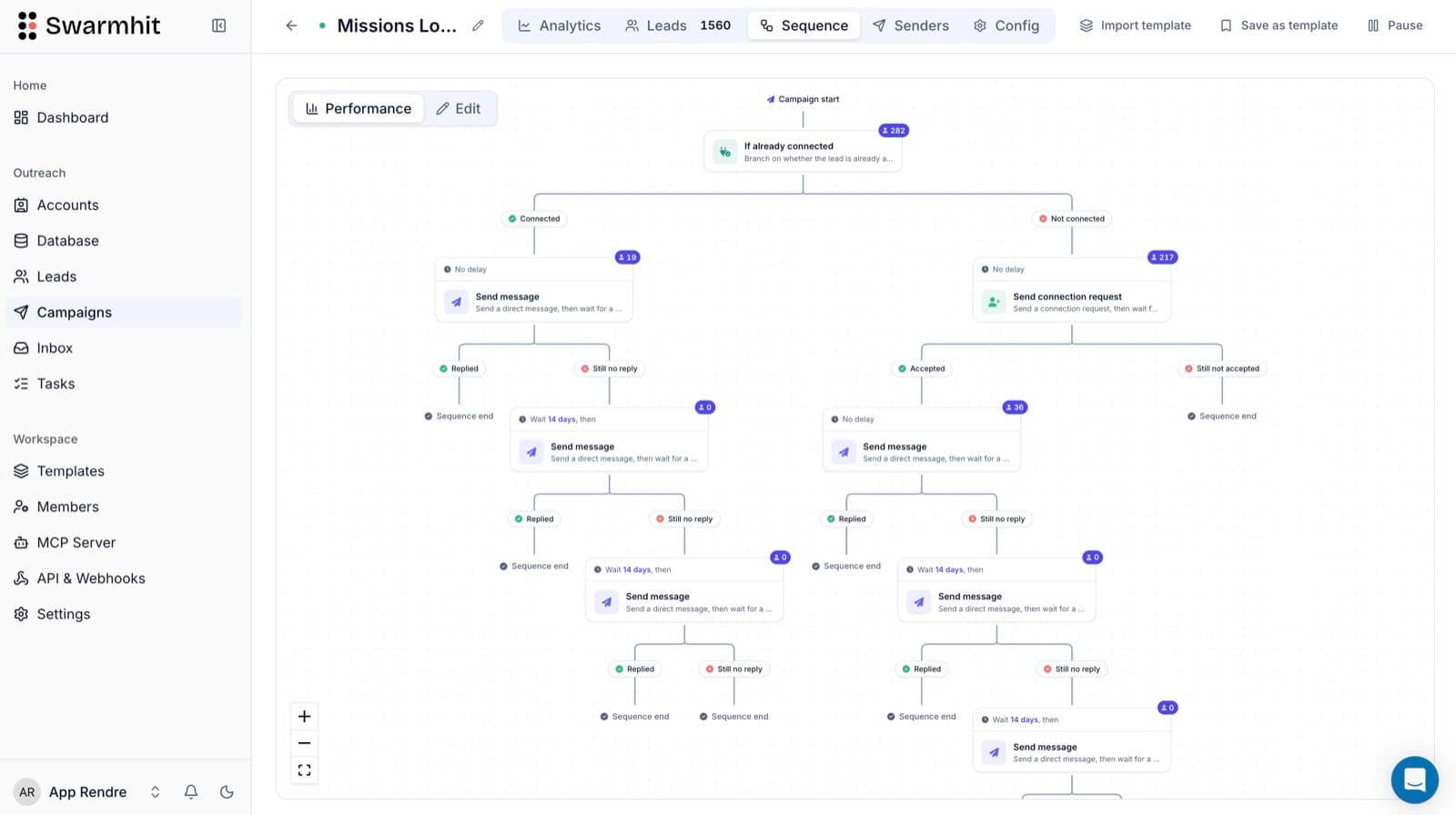
Build a campaign once and Swarmhit spreads it across your sender pool automatically, each account with its own limits, warmup state, and dedicated proxy. Adding a sender is a click and one flat per-sender price, not a new subscription with a new login.
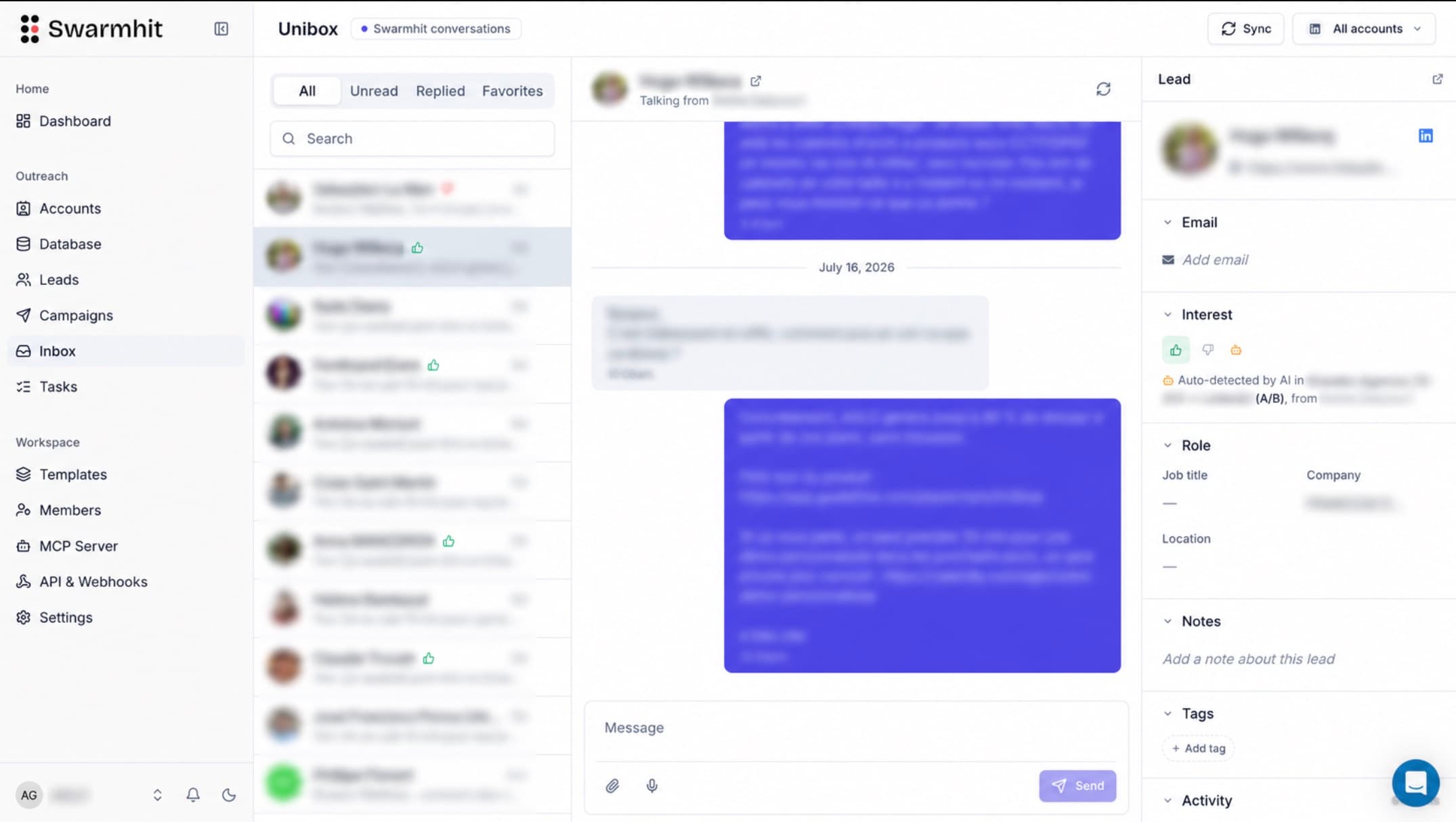
One inbox for the whole team
Every reply from every sender lands in one inbox with assignment and interest tags. Anyone with the right role can answer on behalf of any sender, so follow-ups happen in minutes, not whenever the account owner logs back in.
Messages written from the prospect, not a template
Dripify personalizes with variables: first name, company, mutual connections. Swarmhit's AI reads the prospect's profile, recent posts, and company news, and drafts openers that reference something real. Drip timing is a solved problem; sounding human at scale is the actual bottleneck.
Prospecting built in, not bolted on
Dripify starts from a LinkedIn search you ran somewhere else. Swarmhit starts from a 1B+ contact database covering 60M companies, refreshed weekly, with free credits every month and pay-as-you-go beyond. Search, rank by fit, and push straight into a campaign without CSV round-trips.
Safety as the default, not a tier
Dedicated proxy per sender, managed auto-warmup, live account health checks, and smart daily caps are standard on every Swarmhit plan. There is no plan where protection is the thing you haven't paid for yet.
What does each tool cost as you grow?
| Senders | Swarmhit | Dripify (Advanced) |
|---|---|---|
| 1 | $29/mo | $79/mo |
| 3 | $87/mo | $237/mo, 3 subscriptions to juggle |
| 5 | $145/mo | $395/mo, 5 separate logins and billing cycles |
| 10 | $290/mo | $790/mo, plus the operational overhead of 10 isolated accounts |
Annual billing on both sides: Swarmhit runs $29/month per sender on annual billing ($39 monthly). Dripify’s entry tier is cheaper on paper at $39, but its one-campaign cap and gated features push working teams to the top tier fast. Swarmhit’s price per sender never changes, and every feature ships on every plan.
Competitor pricing on this page was checked against the vendor’s own pricing page on 5 August 2026. Vendors change prices without notice, so treat anything older than a month as indicative.
When is Dripify the better fit?
If you’re one person automating one LinkedIn account with straightforward drip logic, Dripify’s simplicity is the feature. The interface is friendlier for a first-time user, the learning materials are excellent, and the 7-day trial makes it easy to test. Swarmhit starts paying for itself the day you add a second sender, share replies with a teammate, or get tired of exporting CSVs from one tool to feed another. From the second sender on, Swarmhit is the stronger Dripify alternative.
How hard is switching from Dripify to Swarmhit?
Minutes, not days: treat it as a like-for-like Dripify replacement. Export your leads as CSV and import them into Swarmhit, or skip the file entirely and rebuild your audience from Swarmhit’s database or a Sales Navigator search. Sequences translate directly: the same invite, delay, message, follow-up logic, plus actions Dripify doesn’t have (voice notes, post comments, InMail). Connected accounts go through managed warmup before ramping to full volume.
FAQ