Swarmhit vs HeyReach
HeyReach makes solo LinkedIn automation genuinely simple: one account, a drip sequence, done. Swarmhit keeps that simplicity and removes the ceiling: multi-sender campaigns, one inbox for every account, AI personalization, and a 1B+ contact database built in.
- From $29 per sender, not $79
- 1B+ prospect database built in
- AI voice notes in your voice
Swarmhit
$29/mo
Per sender on annual billing
$39 monthly. Every feature on every plan, no tier to unlock.
HeyReach
$79/mo
Per sender on the Growth plan, less on quarterly and annual terms.
Swarmhit
1B+
Contacts, 60M companies
Searchable database refreshed weekly, pay-as-you-go credits.
HeyReach
Bring your own
HeyReach expects you to arrive with lists.
Swarmhit
8
LinkedIn action types
Invites, messages, InMail, voice notes, post likes, comments, follows, visits.
HeyReach
4
Action types on HeyReach.
Swarmhit
Included
White-label inbox, reports, booking page
Included with custom volume pricing by sender count.
HeyReach
$500 add-on
Multi-brand white-label, listed separately on the $999 Agency plan.
How does HeyReach compare to Swarmhit?
Swarmhit
HeyReach
What the two share
Where they diverge
Agency packaging
Comparison data last verified on 5 August 2026.
3 reasons to choose Swarmhit over HeyReach
Half the price per sender
HeyReach lists $79 per sender per month below ten senders and $59 from ten. Swarmhit is from $29 per sender on annual billing, $39 monthly. For an agency running twenty client senders that is roughly $400 a month at monthly list rates ($360 on annual billing), every month, for the same architecture.
The prospect data is already inside
HeyReach expects you to arrive with lists. Swarmhit includes a searchable database of 1B+ contacts across 60M companies, refreshed weekly, plus Sales Navigator imports, so building an audience does not start with a CSV.
Personalization written from the prospect, not from variables
Both tools merge fields. Swarmhit's AI reads each prospect's profile, recent posts, and company news to draft the opener, and AI voice note steps speak your script in a clone of your own voice.
What does Swarmhit do differently?
AI voice notes in your own voice
Clone your voice once from a thirty second sample, then drop AI voice note steps into any sequence. Every prospect hears their own name spoken in your voice, at whatever volume the campaign runs.
A prospect database in the platform
Search 1B+ contacts across 60M companies, refreshed weekly, rank by fit and intent, and push straight into a campaign. Free credits every month, pay as you go beyond, no separate data subscription.
Openers written from real signals
The AI reads each prospect's profile, recent posts, and company news, then drafts a first line that references something real. Variables put a name in a template; this puts a reason in the message.
Per-action caps and a health center
Separate daily limits for connection requests, messages, InMails, profile views, follows, likes, comments and search imports, plus weekly ceilings, with Social Selling Index and pending invitations visible per sender.
When is HeyReach the better fit?
One person, one account, drip logic
If you’re one person automating one LinkedIn account with straightforward drip logic, HeyReach’s simplicity is the feature.
A friendlier first-time experience
The interface is friendlier for a first-time user, the learning materials are excellent, and the 7-day trial makes it easy to test.
Swarmhit starts paying for itself the day you add a second sender, share replies with a teammate, or get tired of exporting CSVs from one tool to feed another. At agency scale, the per-sender spread makes Swarmhit the stronger HeyReach alternative.
TL;DR verdict
HeyReach is the closest product to Swarmhit on this list: same cloud model, same multi-sender rotation, same agency focus. The comparison comes down to price per sender, from $29 on annual billing ($39 monthly) against $79, and to what surrounds the sending: Swarmhit adds a 1B+ contact database on free monthly credits, openers written from prospect signals, and voice notes cloned from your own voice. As a HeyReach alternative, Swarmhit is the same category at half the price with the data layer built in.
Why teams look for a HeyReach alternative
Not because something is broken. HeyReach got the multi-sender model right, and agencies picked it for the same reasons they consider us. The search for a HeyReach alternative is usually about margin: at $79 per sender against $29 on annual billing ($39 monthly), twenty-five senders cost $1,475 a month on HeyReach at its $59 volume rate ($1,175 on annual terms) and $725 on Swarmhit on annual terms ($975 monthly). HeyReach lists a $999 Agency plan above that, and Swarmhit moves to custom pricing based on the number of senders, scoped on a call, so the argument is sharpest between one and twenty-five senders, exactly the range most agencies live in.
The other reason is what sending alone cannot do. HeyReach assumes the list already exists; Swarmhit ships with the database that produces it, on free monthly credits then pay as you go, plus openers written from each prospect’s profile and posts. Line up every HeyReach competitor and very few combine the sending engine with the data layer, and that combination is what removes the third tool from the stack.
What does HeyReach get right?
Credit where due: HeyReach is one of the easiest LinkedIn automation tools to learn. The interface is clean, the drip-campaign builder walks you through importing prospects (from a LinkedIn search URL or CSV) and sequencing actions with conditional splits, and you can be live within an hour. Sequences can be edited even after a campaign is running, leads can be tagged and filtered, and the analytics map your funnel stage by stage with acceptance and reply rates per campaign. The onboarding materials are among the best in the category. For one person automating one LinkedIn account, none of this is sarcasm: it’s a good tool.
The problems start when “one person, one account” stops describing you.
Where does HeyReach hit its ceiling?
How close are these two products really?
Closer than any other pairing on this site, and it is worth saying plainly. HeyReach and Swarmhit target the same buyer, run the same architecture, and solve the same problem: one campaign rotating across a pool of LinkedIn senders, every reply landing in a shared inbox, with an API and an MCP server for teams that want to automate around it. If you are comparing us to HeyReach, you have already made the important decision, which is to run multi-sender properly rather than stacking single-account tools. What follows is the shortlist of things that genuinely differ.
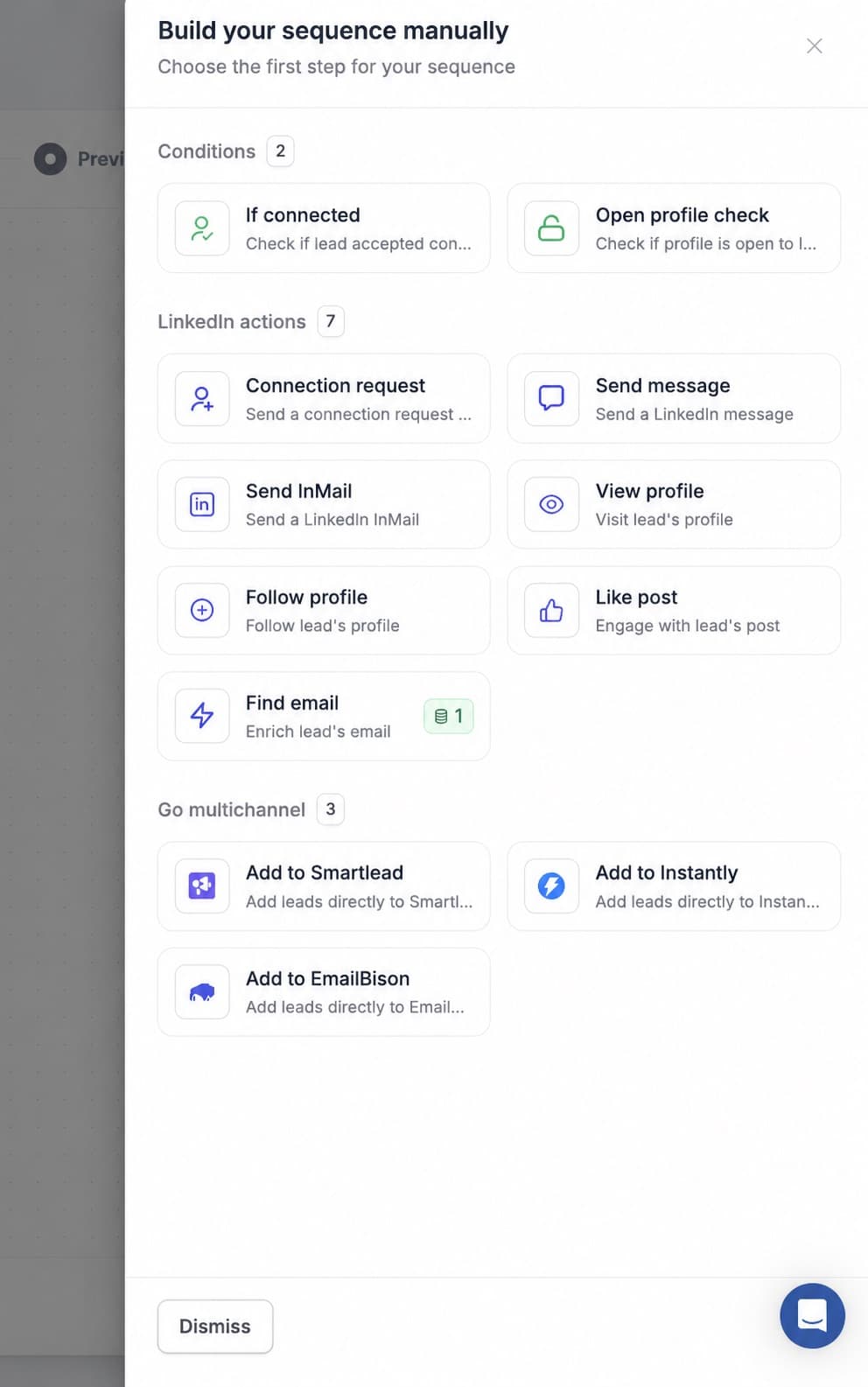
What does the price gap mean for an agency?
HeyReach lists $79 per sender per month below ten senders and $59 from ten, Swarmhit from $29 on annual billing, or $39 monthly. At monthly list rates, five senders is a $200 monthly difference, twenty is $400, fifty is $1,000. Above a certain size HeyReach pushes you toward its flat Agency tier at $999 per month; Swarmhit keeps billing per sender, with rates that drop sharply as the fleet grows and custom pricing based on the number of senders, scoped on a call. So the per-sender price argument holds at every size, and is easiest to read between one and roughly twenty-five senders.
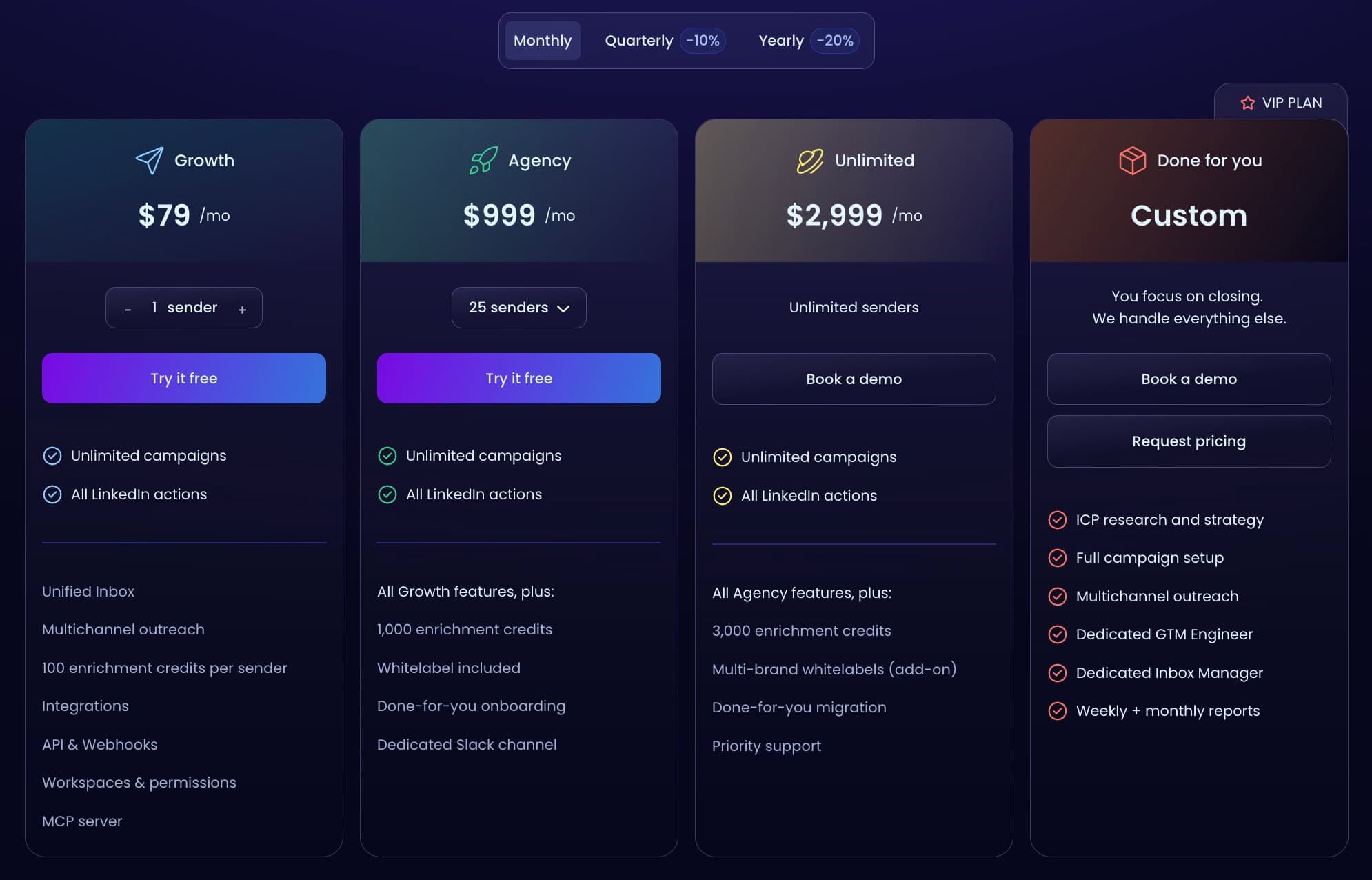
Where does the data layer change the workflow?
This is the difference operators feel first. HeyReach assumes you already have lists, so your workflow starts in Sales Navigator or a data provider, moves through a CSV, and ends in the campaign. Swarmhit puts a searchable database of 1B+ contacts and 60M companies inside the platform, refreshed weekly, alongside Sales Navigator URL imports. You filter, rank by fit and intent, and push straight into a campaign. Over a month of building audiences, the number of tools and exports involved is the practical difference, not the record count.
Both send voice notes. What actually differs?
HeyReach lets you record and send voice notes from desktop, which is genuinely good and rarer than it should be. Swarmhit does that too, and adds the version that survives volume: clone your voice from a thirty second sample, and AI voice note steps speak your written scripts in it, with each prospect hearing their own name. Recording one note per prospect does not scale past a few dozen. Synthesizing them in your own voice does.
Where does HeyReach win?
Reputation and hand-holding. HeyReach has a strong following among agencies, its support is repeatedly singled out in reviews as fast and human, and its higher tiers include done-for-you onboarding and migration plus a dedicated Slack channel. It also lets you bring your own proxies, which some agencies specifically want. If you value a vendor that will do the setup with you and you are comfortable sourcing prospect data elsewhere, HeyReach is a legitimate choice and we would rather say so than pretend otherwise.
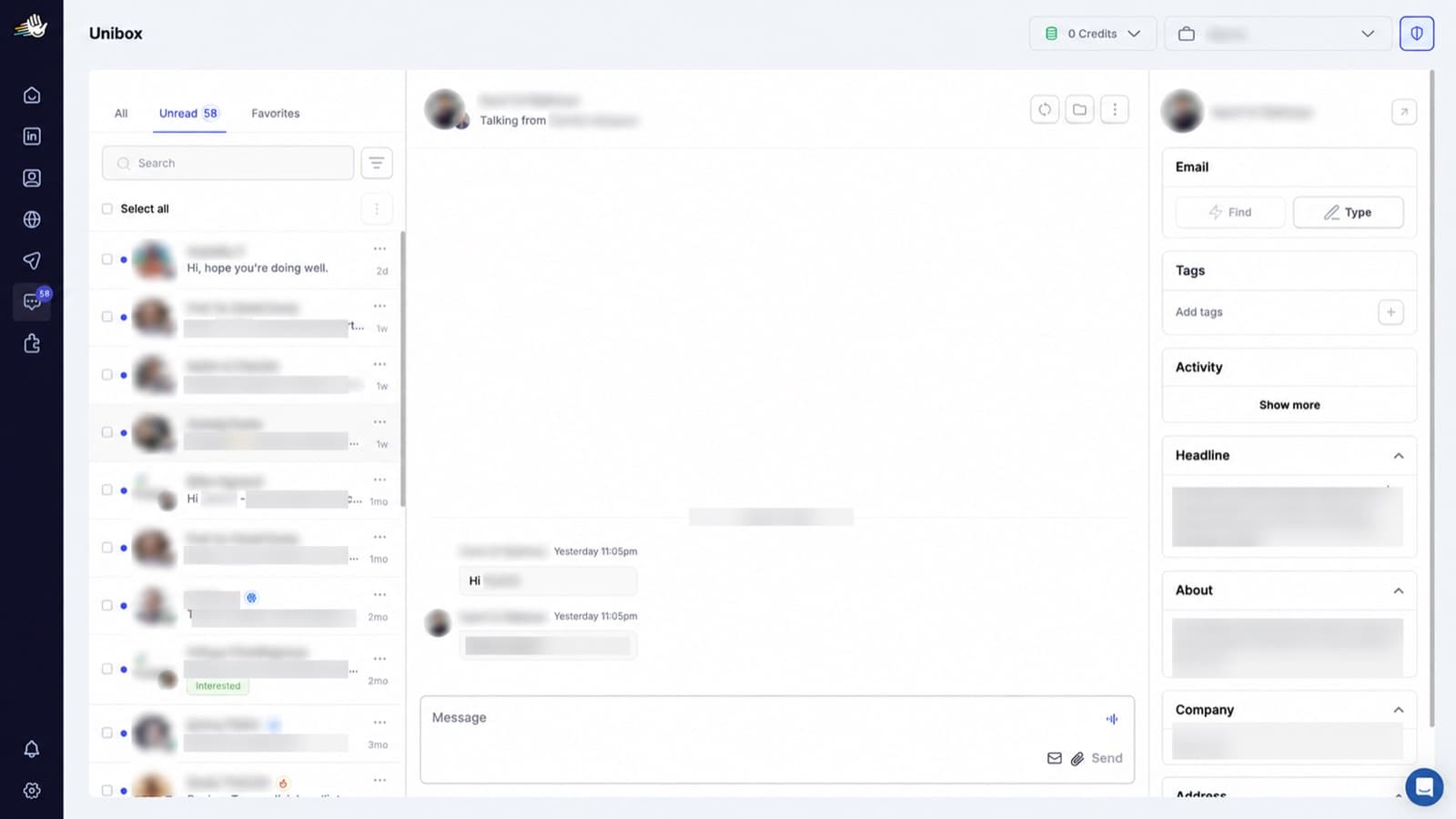
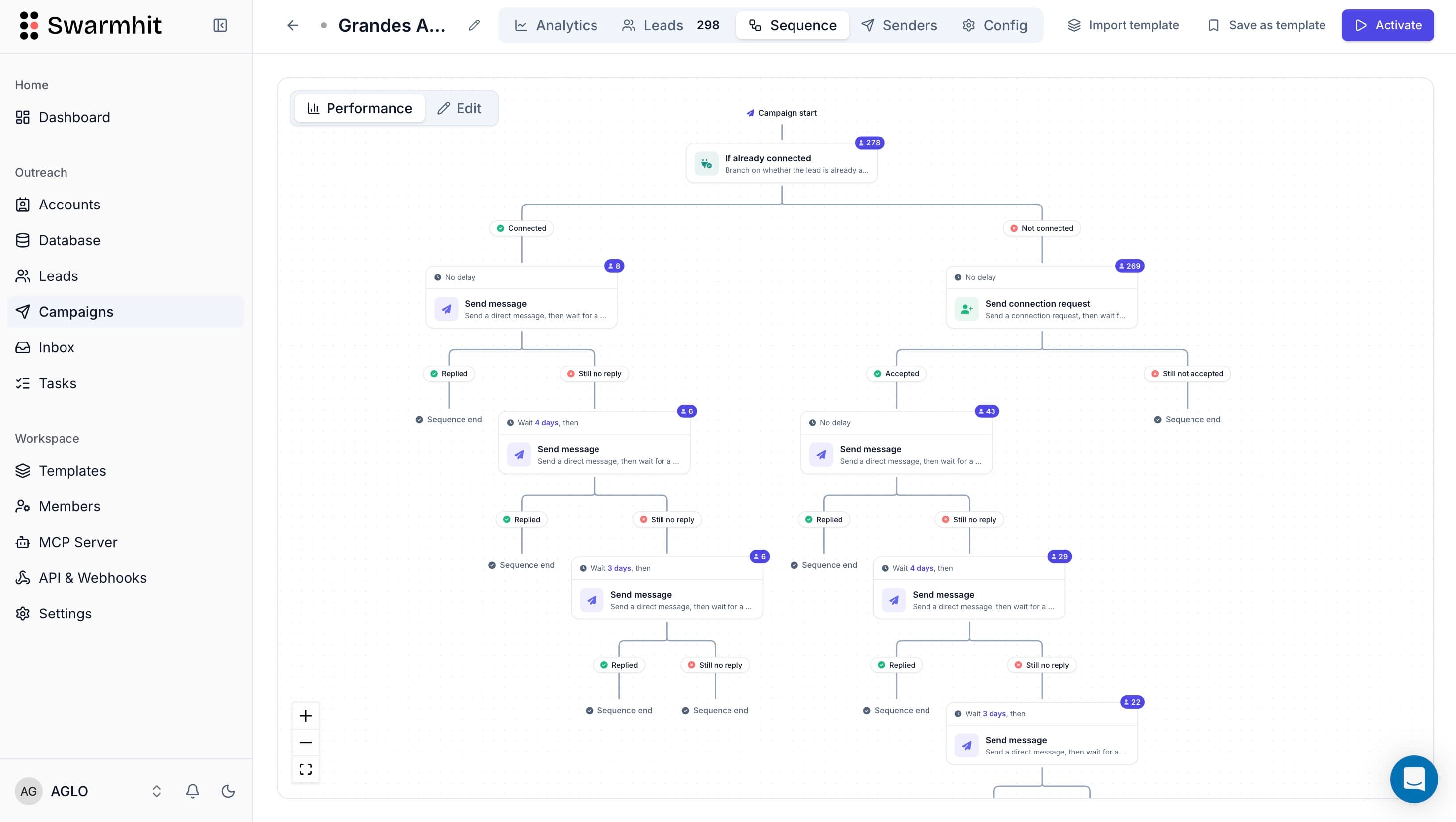
What does each tool cost as you grow?
| Senders | Swarmhit | HeyReach (Growth) |
|---|---|---|
| 1 | $29/mo ($39 monthly) | $63/mo ($79 monthly) |
| 5 | $145/mo ($195 monthly) | $315/mo ($395 monthly) |
| 10 | $290/mo ($390 monthly) | $470/mo ($590 monthly) |
| 25 | $725/mo ($975 monthly) | $1,175/mo ($1,475 monthly), or the $999 Agency plan |
Annual billing on both sides. Swarmhit runs $29 per sender per month on annual terms, $39 monthly. HeyReach lists $79 per sender on its Growth plan below ten senders and $59 from ten, $63 and $47 on annual billing. Above roughly 25 senders HeyReach moves to a flat Agency tier at $999 per month, while Swarmhit keeps billing per sender with custom pricing based on the number of senders, scoped on a call, so the per-sender gap is easiest to read below that line. Every Swarmhit feature ships on every plan.
Competitor pricing on this page was checked against the vendor’s own pricing page on 5 August 2026. Vendors change prices without notice, so treat anything older than a month as indicative.
How hard is switching from HeyReach to Swarmhit?
Minutes, not days. The two products are similar enough that Swarmhit slots in as a direct HeyReach replacement: export your leads as CSV and import them into Swarmhit, or skip the file entirely and rebuild your audience from Swarmhit’s database or a Sales Navigator search. Sequences translate directly: the same invite, delay, message, follow-up logic, plus actions HeyReach doesn’t have (voice notes, post comments, InMail). Connected accounts go through managed warmup before ramping to full volume.
FAQ
Swarmhit vs HeyReach, answered.
Keep the simplicity,
remove the ceiling.
The same multi-sender category at half the price per sender, with the 1B+ contact database and the data layer built in.