

LinkedIn Sales Navigator pricing has three tiers in 2026. LinkedIn Sales Navigator is LinkedIn's paid prospecting tool, built around 50-plus advanced search filters, monthly InMail credits and relationship signals such as Relationship Map and Buyer Intent. Core starts at US$119.99 per month or US$1,079.88 per year, a 25 percent saving on annual billing. Advanced starts at US$159.99 per month or US$1,799.88 per year, a 6 percent saving. Advanced Plus has no published number: it is custom, scoped through a demo call around a sales team's size, CRM integration and onboarding needs. All three plans carry 50 InMail credits a month.
Which tier is worth paying for depends on what you actually need from the seat. Core suits an individual seller who wants LinkedIn's own search filters and InMail allowance. Advanced adds team seat management and centralized billing for a sales floor. Advanced Plus exists for teams whose CRM needs to talk to LinkedIn directly. The rest of this guide breaks down what each plan includes, how the cost compares to LinkedIn Premium Business, and whether Sales Navigator earns its price over a free account paired with a separate prospecting tool.
LinkedIn Sales Navigator pricing in 2026: how much does it cost?
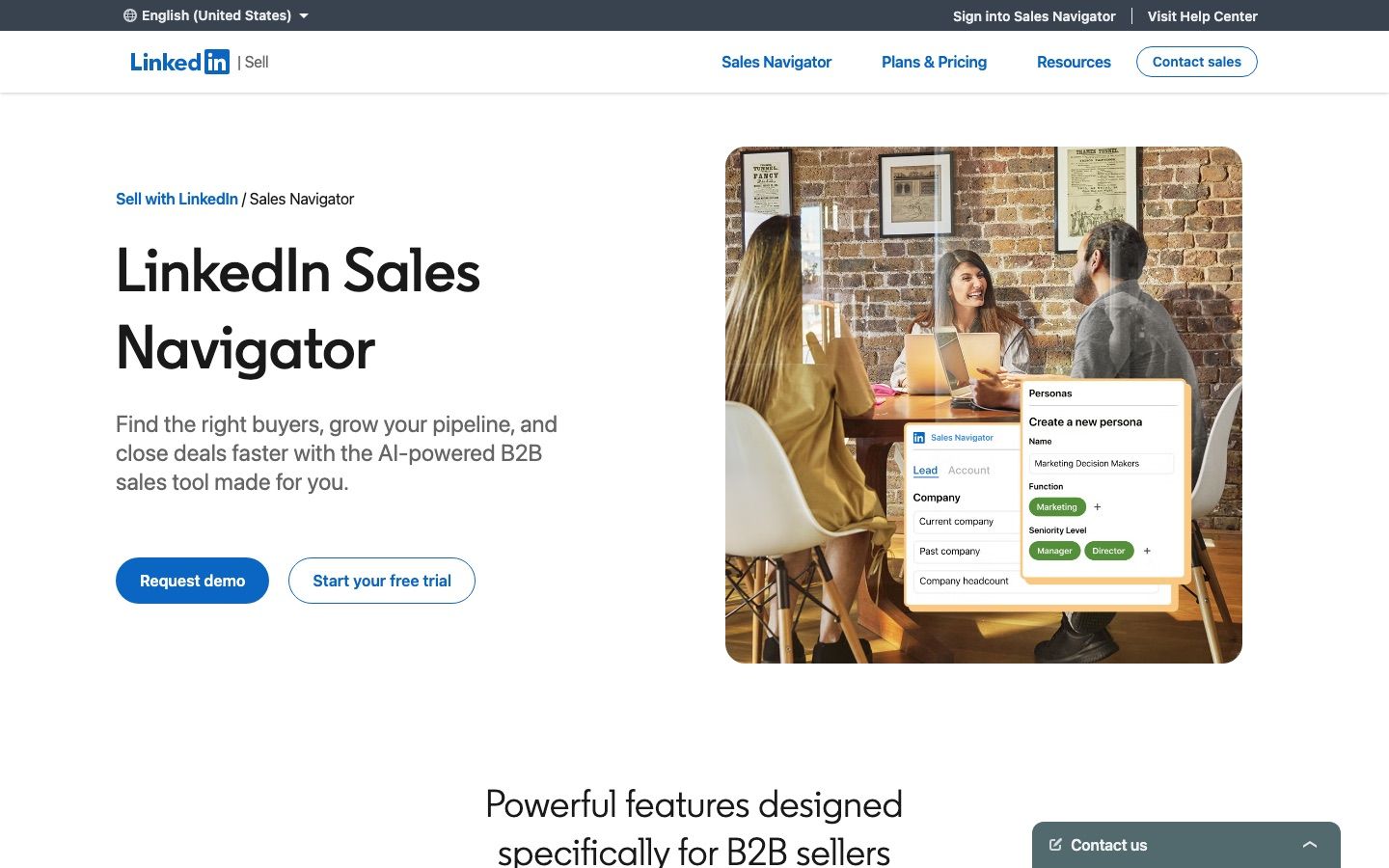
Core starts at US$119.99 a month, Advanced at US$159.99 a month, and Advanced Plus is custom, all published on LinkedIn's own compare plans page, last updated September 27, 2026 when we checked it on 30 September 2026, and every number below comes straight from it. Core, the entry tier for individual sellers, starts at US$119.99 per license on monthly billing or US$1,079.88 per license on annual billing, which LinkedIn states is a 25 percent saving. Advanced, built for sales teams, starts at US$159.99 monthly or US$1,799.88 annually, a 6 percent saving. Advanced Plus does not appear with a number on the page at all: LinkedIn prices it "based on your sales team's size, CRM integration, and onboarding/training needs" and sells it through a demo request rather than a checkout button.
| Plan | Monthly billing | Annual billing (per year) | Annual saving |
|---|---|---|---|
| Core | US$119.99/month | US$1,079.88/year | 25% |
| Advanced | US$159.99/month | US$1,799.88/year | 6% |
| Advanced Plus | Custom, by demo | Custom, by demo | Not published |
$119.99
Sales Navigator Core, monthly billing, verified September 2026
Sales Navigator pricing is not only quoted in US dollars. LinkedIn's compare page localizes billing into euros, Australian dollars and Canadian dollars, and none of those are a straight currency conversion of the US price, they are the numbers LinkedIn's own page displays for each market.
| Currency | Core, monthly | Core, per year | Advanced, monthly | Advanced, per year |
|---|---|---|---|---|
| EUR | €120.99 | €1,088.88 | €148.21 | €1,693.88 |
| AUD | A$154.99 | A$1,499.88 | A$189.99 | A$2,159.88 |
| CAD | C$144.99 | C$1,199.88 | C$179.99 | C$2,039.88 |
LinkedIn's page now lists an annual EUR figure for Advanced as well, €1,693.88 a year, as read on 30 September 2026. LinkedIn states the 25 percent and 6 percent annual savings for the US dollar price only, and the discount is not uniform once you work it out from the local monthly and annual figures above. On Core, the annual price is a 25 percent saving on EUR billing but roughly 19 percent on AUD and roughly 31 percent on CAD; on Advanced it stays close to the US figure in all three currencies, at roughly 5 to 6 percent. Use the local figures in the table above rather than assuming one saving percentage travels across every market.
What does each Sales Navigator plan include?
Core keeps 50-plus advanced search filters, 50 InMail credits a month, Account IQ and Lead IQ, Message Assist, Relationship Explorer, Relationship Map and Alerts, but not Buyer Intent, which starts at Advanced along with TeamLink, Smart Links and the team tools. That is worth stating up front, because LinkedIn has moved its AI tools down to Core: as read on 30 September 2026, its compare-plans matrix, updated September 27, 2026, ticks Account IQ and Lead IQ on all three tiers, and its Sales Navigator product page says Account IQ, Lead IQ and Message Assist are "now available across Core, Advanced, and Advanced Plus plans." LinkedIn also notes that some features are only available in select languages or in beta, so check your language before counting on them.
The full matrix below is parsed cell by cell from LinkedIn's compare-plans page, feature by feature, plan by plan.
| Feature | Core | Advanced | Advanced Plus |
|---|---|---|---|
| Advanced search filters (50+) | Yes | Yes | Yes |
| InMail (50 credits a month) | Yes | Yes | Yes |
| Account IQ and Lead IQ | Yes | Yes | Yes |
| Team seat management and centralized billing | No | Yes | Yes |
| Advanced CRM integrations (Salesforce, HubSpot, Dynamics, Oracle) | No | No | Yes |
| Lead and contact creation into the CRM | No | No | Yes |
| Relationship Explorer | Yes | Yes | Yes |
| Relationship Map | Yes | Yes | Yes |
| Alerts | Yes | Yes | Yes |
| Message Assist (public beta) | Yes | Yes | Yes |
| TeamLink | No | Yes | Yes |
| Smart Links | No | Yes | Yes |
| Team reporting | No | Yes | Yes |
| Manage your book of business | No | Yes | Yes |
| Buyer Intent | No | Yes | Yes |
| Dedicated account team and tailored training | No | Yes, if bought through a sales representative | Yes |
| CRM embedded experiences and profiles | No | No | Yes |
Read that table as two jumps rather than three flat tiers. The Core-to-Advanced jump is about buyer signals and team management: Buyer Intent for seeing when buyers show interest in your company, TeamLink for warm introductions through a team's combined network, Smart Links for trackable shared content, plus everything a sales manager needs to run several seats at once, team seat management and centralized billing, team reporting, the ability to upload a book of business for smarter recommendations, and, when the plan is bought through a sales representative, a dedicated account team with tailored training. None of that touches search, InMail or the AI tools; Core already has the same 50-plus filters, the same 50 credits and the same Account IQ, Lead IQ and Message Assist as every other tier.
The Advanced-to-Advanced-Plus jump is entirely about the CRM. Advanced Plus adds advanced CRM integrations across Salesforce, HubSpot, Microsoft Dynamics and Oracle, lead and contact creation straight into the CRM with no manual entry, and CRM embedded experiences that pull LinkedIn insights into 15-plus sales integration tools so reps do not have to tab out of the CRM to check Sales Navigator. It is also the only tier LinkedIn will not put a number on: everything above is folded into custom pricing scoped around the CRM setup.
LinkedIn's own compare-plans FAQ describes the three plans by who they are for, verbatim: "Core is best for individual sellers who want to find high-quality leads and build client relationships. Advanced is best for sales teams that need AI-powered lead and account research, actionable insights, and collaboration tools. Advanced Plus is best for sales teams using one of these CRMs who need advanced sales-tool and CRM integrations." If neither team administration nor CRM plumbing is a problem you have, Core already covers the search and InMail side of Sales Navigator on its own.
Run your LinkedIn outreach on Cadency
One campaign across every LinkedIn sender and every mailbox, one sender per lead, with per-sender ceilings and one unified inbox.
From $89 a month with 2 LinkedIn senders included.
Is Sales Navigator worth it?
Every Sales Navigator pricing question ends up here: Sales Navigator is worth it if the 50 InMail credits, the 50-plus search filters and the relationship signals change how many qualified conversations you start each month, not just how tidy your prospecting looks. Put a number on the seat before deciding: Core's US$1,079.88 annual price works out to roughly $4.15 a business day across a 260-day working year, and Advanced's US$1,799.88 works out to roughly $6.92 a business day. Framed that way, the question is not whether $120 a month is affordable, it is whether one Sales Navigator-sourced conversation a week covers $4 to $7 a day.
That math favors Core for most individual sellers. At roughly $89.99 a month when billed annually, an individual seller only needs a handful of InMail responses or relationship-map introductions a month to justify the seat, since replicating 50 InMail-equivalent sends through cold email tooling or a data vendor with no InMail equivalent would cost real money on its own.
Who it pays off for: an individual seller or account executive running targeted outbound into named accounts, where InMail reaches second and third degree prospects a free account cannot message. It pays off further on Advanced, where Buyer Intent flags companies showing interest and TeamLink surfaces warm introductions on top of everything Core already does, and where a sales floor needs centralized billing to avoid managing individual card payments per rep. And it pays off on Advanced Plus for a CRM-heavy team, where lead creation flowing straight into Salesforce or HubSpot removes a manual step from every qualified conversation.
Who should stay on free plus a prospecting tool: anyone whose real bottleneck is contact data rather than LinkedIn search or InMail. Sales Navigator does not sell email addresses or phone numbers at any tier, so a team blocked on finding verified contact details is paying $120 to $160 a month for a problem it does not solve. Our Sales Navigator alternatives guide covers the data-vendor side of that trade, and our roundup of LinkedIn prospecting tools covers where a seat still earns its place alongside one.
Matching the plan to the buyer is easier as a table than as a rule of thumb.
| Who you are | Best plan | Yearly cost per seat |
|---|---|---|
| Individual seller prospecting solo | Core | US$1,079.88 |
| 3-person team splitting named accounts | Advanced | US$1,799.88 per seat |
| Team on Salesforce or HubSpot that needs CRM sync | Advanced Plus | Custom, scoped on a call |
An individual seller does not need Buyer Intent, TeamLink or centralized billing to get value out of Sales Navigator: the search filters and the 50 InMail credits are identical on Core to every other tier, so Core is the seat to buy. A 3-person team splitting named accounts is exactly the case Advanced is built for, since Buyer Intent and TeamLink point each rep to interested accounts and warm introductions before an outbound message, and centralized billing turns three separate cards into one invoice. A team already living inside Salesforce or HubSpot is the one case where Advanced Plus's custom price is worth asking about, because the alternative is a rep manually re-entering every qualified lead into the CRM by hand.
LinkedIn backs that value case with its own numbers rather than independent proof. Its product page states Sales Navigator is "Trusted by 1.5M+ sellers," and cites a Forrester study it commissioned, published in October 2023, claiming Sales Navigator "paid for itself in less than 6 months." Both are LinkedIn's own marketing claims about its own product, not third-party research, so read them the way you would read any vendor case study: directionally useful, not a substitute for running the seat-cost math above against your own close rate.
Sales Navigator vs LinkedIn Premium Business
LinkedIn Premium Business is the cheaper, narrower tier: US$69.99 a month or US$539.88 a year, a 36 percent saving on annual billing, with 15 InMail credits a month. Sales Navigator's own comparison page puts it plainly: "A Sales Navigator subscription includes access to Premium Business features." From that baseline it adds what Premium Business does not have: 50-plus advanced search filters and a relationship map on every tier, CRM integration on Advanced Plus, and TeamLink on Advanced and Advanced Plus, which surfaces your team's combined network for warmer introductions.
| LinkedIn Premium Business | Sales Navigator | |
|---|---|---|
| Monthly billing | US$69.99 | From US$119.99 |
| Annual billing (per year) | US$539.88 | From US$1,079.88 |
| Annual saving | 36% | 25% (Core) / 6% (Advanced) |
| InMail credits per month | 15 | 50 |
| Premium Business features | Included | Included |
| 50+ advanced search filters | No | Yes |
| Relationship map | No | Yes |
| CRM integration | No | Yes (Advanced Plus) |
| TeamLink | No | Yes (Advanced and Advanced Plus) |
Premium Business is the right call for someone whose goal is a general Premium upgrade and profile visibility, with 15 InMail credits, without needing LinkedIn's sales-specific search or relationship tooling. Sales Navigator is the right call the moment prospecting is the job: 50 InMail credits instead of 15, filters built around company and lead attributes rather than general search, and, on Advanced and Advanced Plus, TeamLink turning a whole team's connections into warm paths instead of cold ones. The price gap, roughly $50 a month at the Core tier, is close to the InMail difference alone, since 35 extra credits a month would cost real money to replicate through any other channel.
How does the Sales Navigator free trial work?
Sales Navigator's free trial runs one month, the same length as any LinkedIn Premium trial, according to LinkedIn's own help page. Cancel at least one day before the trial ends to avoid being billed, and LinkedIn sends a reminder email seven days before the trial closes so the deadline does not sneak up on you.
That one-day cancellation window matters more than it sounds. If the trial ends on a Friday and the plan is to cancel Friday morning, LinkedIn's help page is specific that cancellation needs to land at least a day earlier, so treat the reminder email as the real deadline, not the trial's own end date. See LinkedIn's help page on the Sales Navigator free trial for the exact mechanics, including how to cancel from account settings.
Who is eligible for the Sales Navigator free trial?
Sales Navigator's free trial is available on Core or Advanced only, "using your LinkedIn account," according to LinkedIn's own compare-plans FAQ; there is no free trial for Advanced Plus, which sells through a demo instead. Eligibility itself is stated two different ways depending on which LinkedIn page you read, and both are worth knowing before you sign up.
The compare-plans page puts a specific number on it: free trials are available to members "who are not currently on any paid LinkedIn subscription (including Premium or Sales Navigator) and have not used a LinkedIn free trial in the past 365 days." LinkedIn's help center states the same underlying rule without a number attached: if you have already used a free Premium trial, "you may not be eligible for any further free Premium subscriptions," and cancelling one means you will not be eligible to sign up for another free trial "for at least 12 months." A separate help article goes further, warning that you may not be eligible for another trial "even if it has been more than 12 months since your previous free trial." Read together, LinkedIn's own pages disagree on whether the eligibility window is a hard 365 days or something looser that a 12-month gap does not automatically satisfy. Treat the 365-day figure as the stated rule and the "even if more than 12 months" line as LinkedIn reserving the right to say no anyway.
Two more rules apply once a trial has started. You cannot switch between different Premium plans for free during the trial period, so picking Core or Advanced at signup locks that choice for the trial's duration. And the trial converts automatically into a paid subscription unless you cancel it; cancelling early ends access immediately rather than letting the trial run out on its own.
Whether a credit card is required to start the trial is not stated on any LinkedIn page in our dossier, so we are not going to invent a number here.
How do InMail credits work on Sales Navigator?
Sales Navigator Core, Advanced and Advanced Plus all grant 50 InMail credits a month, and unused credits accumulate up to a cap of 150 before they stop building up further. Credits also expire after 90 days regardless of the accumulation cap, which is a separate rule: a credit sitting unused for 90 days is gone even if the pool is nowhere near the 150 ceiling. Sales Navigator credits renew on the first day of each calendar month (UTC), as checked on 30 September 2026, unlike Premium plans, which renew on the first day of the billing cycle.
A credit comes back when the recipient responds within 90 days of the InMail being sent, whether that response is an accept, a decline or a reply, so a well-targeted send that gets answered effectively costs nothing. InMails to first-degree connections, Open Profiles and job applicants are free and never touch the credit pool at all, since InMail exists specifically to reach people outside your network. One rule has no workaround: Sales Navigator does not sell extra InMail credits. There is no top-up purchase at any tier, so 50 a month, or 150 banked, is the entire allowance regardless of how much you are willing to spend. Our guide to LinkedIn InMail covers how to write InMails that actually clear that 90-day response window. Full detail on credits, caps and expiry sits on LinkedIn's own InMail help page.
Does Sales Navigator raise your connection limits?
No, not officially, and LinkedIn is explicit about it: a numeric invitation limit exists, LinkedIn does not publish the number, and LinkedIn states that limit cannot be raised by purchasing any subscription, Sales Navigator included. That is the official layer, and it applies the same to every account regardless of plan.
In practice, a second layer sits underneath the official one. Operators running LinkedIn outreach report sustained higher weekly volume on mature, paid accounts than on new or free ones, because enforcement leans on behavioral signals, account tenure and trust profile rather than a fixed plan-based ceiling. For Sales Navigator specifically, operators report a sustained range of roughly 150 to 250 invitations a week, though sources disagree on where the top of that range actually sits, and none of it is a number LinkedIn confirms. Treat both layers as true at once: LinkedIn will not sell a higher limit, and real accounts on paid plans do appear to sustain more volume than fresh free ones, for reasons LinkedIn does not disclose.
That gap between the official and the practiced is exactly where account risk lives. Sending at the high end of an unconfirmed range on a new account is a different bet than doing it on an established one, and pushing past what an account's history supports is the fastest way to get an account restricted. Our guide to LinkedIn connection limits goes deeper into both layers, and our piece on whether LinkedIn automation is safe covers what actually triggers a restriction beyond raw volume. LinkedIn's own help page on invitations and restrictions is the primary source behind the official layer above.
How do teams pair Sales Navigator with outreach execution?
Sales Navigator finds; it does not send at scale on its own. Its search, filters and relationship signals are excellent at narrowing a market down to the right list, but running a sequence of connection requests, messages and InMails against that list, across more than one sender, is not what the product is built to do.
Cadency, built on Swarmhit, fills that gap: it imports a Sales Navigator search directly, then runs one campaign across every LinkedIn sender you connect and every mailbox, one sender per lead, rather than one identity per seat the way Sales Navigator's own team plans are structured. Each sender runs under its own ceiling and pacing, set by Cadency rather than by any number LinkedIn publishes, and none of it raises LinkedIn's own invitation limit.
That division of labor is deliberate. Cadency is outreach software with data built in (a native people and company database and waterfall enrichment, paid per verified hit), not a Sales Navigator replacement: it does not sell InMail credits, and it does not replicate Sales Navigator's filters, Account IQ or the relationship map. What it replaces is the manual work of turning a saved search into an outreach cadence by hand, across a pool of LinkedIn senders, each on a dedicated proxy with its own ceilings, pacing and checkpoint handling in the cloud. Replies land in one unified inbox, one thread per lead across LinkedIn and email, assignable to a teammate. See our roundup of LinkedIn automation tools for how that category compares more broadly, and our guide to the Sales Navigator API for a build-it-yourself route instead of a managed one.
FAQ
How much does Sales Navigator cost per month in 2026?
Core costs US$119.99 a month or US$1,079.88 a year on annual billing, a 25 percent saving. Advanced costs US$159.99 a month or US$1,799.88 a year, a 6 percent saving. Advanced Plus has no published monthly price: LinkedIn prices it individually and sells it through a demo call rather than a checkout page.
Is Sales Navigator worth it in 2026?
It is worth it if InMail, the 50-plus search filters and relationship signals like Account IQ change how many qualified conversations you start each month. Core works out to roughly $4.15 a business day on annual billing, which a handful of InMail responses a month easily covers. It is a harder yes if your real bottleneck is contact data, which Sales Navigator does not sell at any tier.
What is the difference between Sales Navigator and LinkedIn Premium?
LinkedIn Premium Business costs US$69.99 a month with 15 InMail credits and general profile visibility features. Sales Navigator includes everything in Premium Business and adds 50-plus advanced search filters and a relationship map on every tier, plus TeamLink on Advanced and Advanced Plus and CRM integration on Advanced Plus, alongside a larger 50-credit InMail allowance. Sales Navigator is built for prospecting; Premium Business is a general upgrade.
How long is the Sales Navigator free trial, and who is eligible?
Sales Navigator's free trial runs one month on Core or Advanced only, not Advanced Plus, which sells through a demo call instead. Cancel at least one day before it ends to avoid being billed; LinkedIn sends a reminder email seven days out. Eligibility requires not being on any paid LinkedIn subscription and not using a free trial in the past 365 days, though a separate LinkedIn help article warns you may not qualify again even after 12 months.
Can you buy more InMail credits on Sales Navigator?
No, Sales Navigator does not sell extra InMail credits at any tier. The allowance is 50 credits a month, accumulating to a cap of 150, and unused credits expire after 90 days regardless of the cap.
Does Sales Navigator Core include team features?
No, Core has the same search filters and InMail credits as every other tier, but team seat management and centralized billing only start on Advanced. A team of Core seats has to be provisioned and billed one license at a time.
Does Sales Navigator Core include Account IQ and Lead IQ?
Yes. LinkedIn's compare-plans matrix, updated September 27, 2026, ticks Account IQ and Lead IQ on Core, Advanced and Advanced Plus, and its Sales Navigator product page says Account IQ, Lead IQ and Message Assist are now available across all three plans, both as read on 30 September 2026. Core also keeps 50-plus advanced search filters, 50 InMail credits a month, Relationship Explorer, Relationship Map and Alerts; Buyer Intent starts at Advanced, and LinkedIn notes that some features are only available in select languages or in beta.
How much does Sales Navigator Advanced cost per year?
US$1,799.88 a year on annual billing, or US$159.99 a month on monthly billing, a 6 percent saving on the annual rate. Advanced adds team seat management and centralized billing on top of everything Core includes.
Does Sales Navigator increase how many connection requests you can send?
Not officially, LinkedIn states its invitation limit is undisclosed and cannot be raised by purchasing any subscription. Operators report higher sustained volume on mature paid accounts in practice, with Sales Navigator users reporting roughly 150 to 250 invitations a week, but that figure is never confirmed by LinkedIn.
What is Sales Navigator Advanced Plus and who is it for?
Advanced Plus is the tier built for CRM-integrated teams: it adds deep integration with Salesforce, HubSpot, Microsoft Dynamics and Oracle, plus the ability to create leads and contacts directly inside the CRM from Sales Navigator. It has no published price; LinkedIn scopes it on a demo call around team size, CRM setup and onboarding needs.
Conclusion
Sales Navigator's 2026 pricing is straightforward even where Advanced Plus is not: Core at US$119.99 a month or US$1,079.88 a year, Advanced at US$159.99 a month or US$1,799.88 a year, and Advanced Plus scoped through a demo call. The plans do not differ on search or InMail, every tier gets 50 credits and the same 50-plus filters, they differ on whether the seat needs team administration or CRM plumbing wrapped around that search.
Buy Core if you are an individual seller who wants LinkedIn's own prospecting tools and a meaningful InMail allowance. Buy Advanced once you are managing more than one seat. Buy Advanced Plus once your CRM needs to see what Sales Navigator sees. And if the actual blocker is contact data rather than search or InMail, a free account paired with a dedicated prospecting tool will save $120 to $160 a month that was not going toward what Sales Navigator actually does.
Sales Navigator finds the people; turning a saved search into outreach across several senders still takes a separate tool, and ours is Cadency, which runs one campaign across every LinkedIn sender and mailbox. It began as our internal test bed for the Swarmhit engine, it was never meant to be public, and we kept it running for the sales teams, recruiters and agencies who asked for it. Swarmhit itself is the API for developers who build their own outreach product.


