

Unipile and Linked API solve the same problem in different ways: both give developers programmatic access to LinkedIn without the official API, and neither is an outreach tool. Unipile is a multi-channel messaging API priced per connected account: EUR 49 per month (USD 55) covers your first 10 accounts, then the whole fleet is billed per account at EUR 5.00 falling to EUR 3.00 with volume. Linked API is LinkedIn only and priced per seat: $69 per seat monthly, or a $49 monthly equivalent on annual billing. From the second account onward Unipile is cheaper, and at 10 or more accounts it costs roughly a tenth as much. Both leave the sequencer, the inbox and reply handling for you to build.
Every price below was verified in September 2026 from the two vendors' own pricing pages and documentation, including the static HTML behind their billing toggles. Worth knowing before you read anything else on this query: the only other head-to-head we could find on this query is published by Linked API itself. This one is not.
What do Unipile and Linked API actually do?
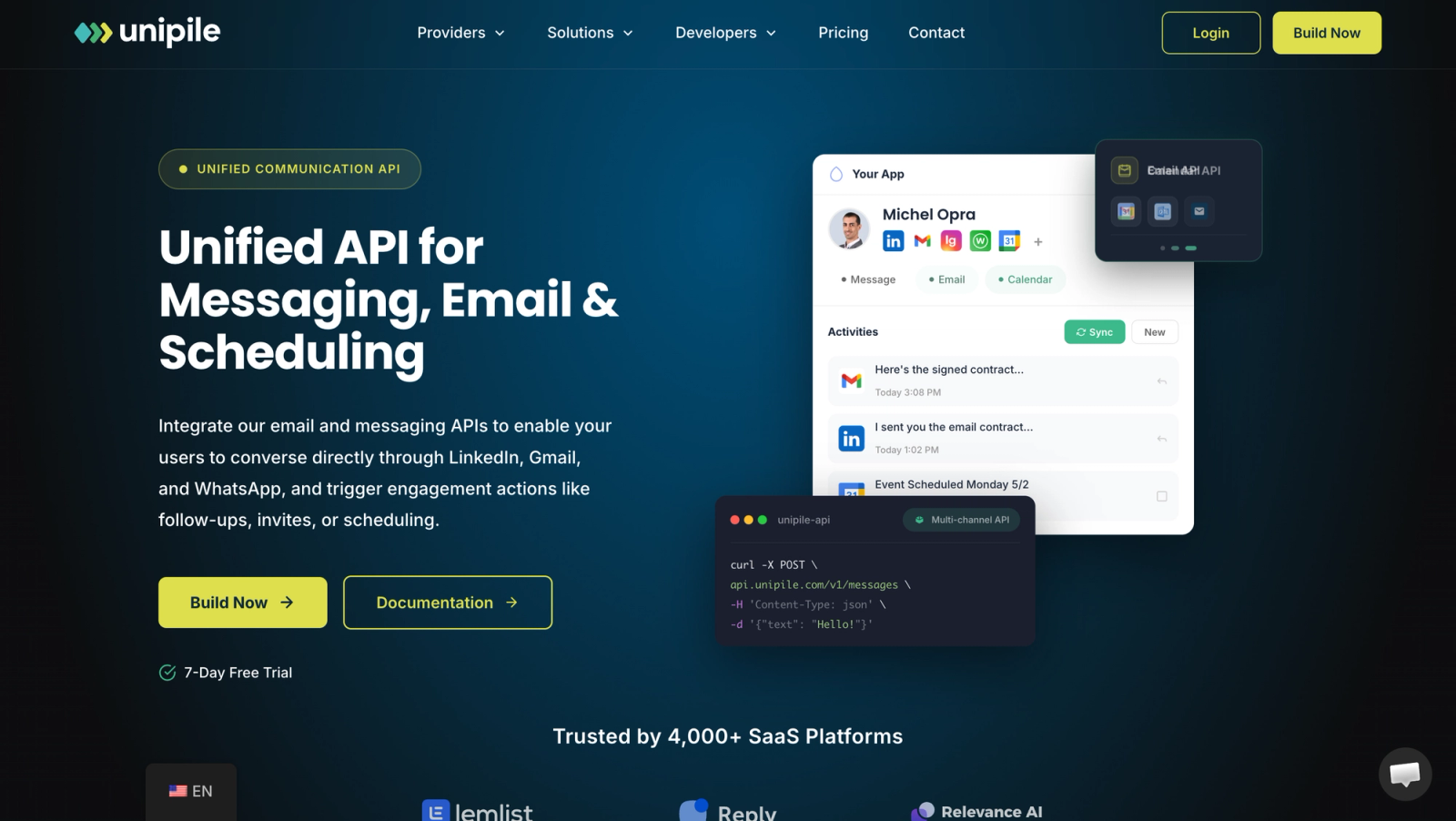
They are different products that happen to overlap on LinkedIn.
Unipile is a unified messaging API: 100+ REST endpoints covering LinkedIn, WhatsApp, Instagram, Telegram, Gmail, Outlook, IMAP email and Google and Outlook calendars, with hosted authentication and realtime webhooks. Unipile claims more than 3,000 clients and is built for SaaS products that embed messaging: CRMs, recruiting tools, outreach platforms. Your users connect their own accounts, and your code sends and reads messages through them.
Linked API is a LinkedIn-only automation API. Every connected account gets its own dedicated cloud browser, and you trigger LinkedIn actions (50+ standard actions per its pricing FAQ) through asynchronous workflows, an official Node.js SDK, a CLI, an MCP server, or n8n and Make integrations. It is built for agent-style workflows and small teams automating accounts they sit in front of. Our Linked API review takes the product apart on its own terms.
Neither is an outreach product. Neither ships a campaign builder, a unified inbox or reply detection as finished product: Unipile's docs show you how to assemble a sequence and an inbox from its endpoints, and Linked API hands you actions and workflows to the same end. Both are the plumbing underneath such a tool; the difference is what kind of plumbing. For the wider landscape of this category, see our guide to outreach APIs.
How do Unipile and Linked API work under the hood?
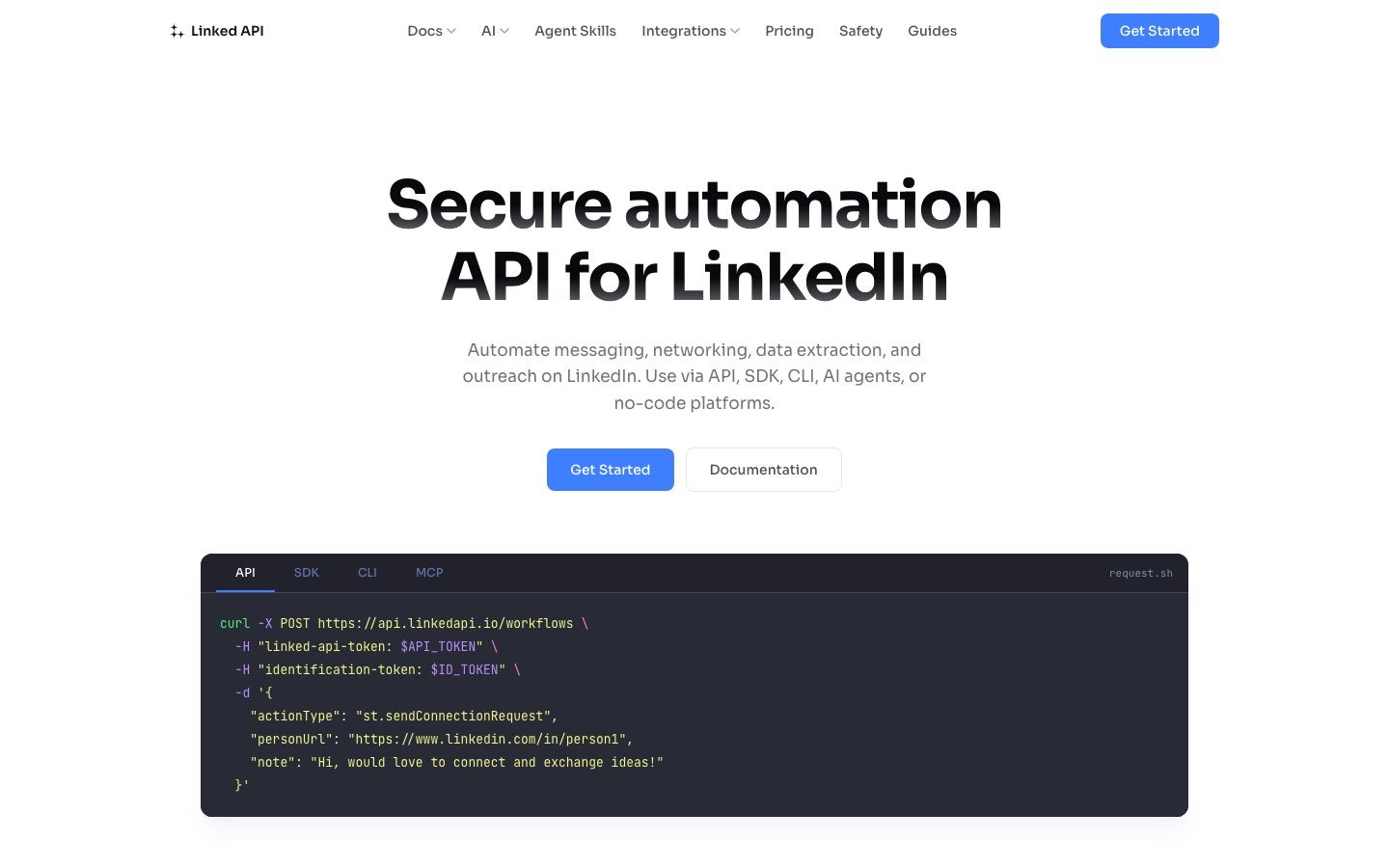
Architecture is the deepest difference between them, and it explains almost everything else: speed, pricing and risk posture.
Unipile is open about its method. Its own pricing FAQ describes the product as working through reverse engineering, with Unipile acting as an independent technical intermediary between your application and each platform, and it bundles proxy rotation and quota management into the service. Calls behave like a normal REST API: request in, response out, webhooks for inbound events. That makes it fast enough to power live product features like an inbox view. This is the same class of private interface we unpack in our LinkedIn Voyager API explainer.
Linked API runs a dedicated cloud browser for every connected account and emulates human actions inside it: everything executes as an asynchronous workflow, sequential per account, with a simple workflow taking around 20 seconds and complex ones several minutes. Credentials are entered once, by the user, when the account is connected in that browser. The deeper mechanics, fingerprint matching, credential handling and workflow chaining, are unpacked in our Linked API review.
The trade is latency for behavioral cover. Linked API's own comparison page frames Unipile's wire-level approach as structurally risky; what it does not say is that cloud-browser automation is also unofficial and also outside LinkedIn's sanctioned surface. Neither vendor removes terms-of-service exposure, a point we cover in depth in is LinkedIn automation safe.
Which channels does each one cover?
Unipile covers many channels for one per-account price: LinkedIn, WhatsApp, Instagram, Telegram, Gmail, Outlook, IMAP email, Google Calendar and Outlook Calendar, with no per-channel, per-request or per-message fees and unlimited API calls. Its official Node.js SDK (TypeScript, Node 18+) additionally lists Messenger and X among messaging channels, both of which the pricing page itself marks as coming soon. One account means one linked identity, so a user who connects LinkedIn and Gmail counts as two accounts on the bill.
Linked API covers LinkedIn only, and Sales Navigator actions are gated behind its Plus plan. If your roadmap includes email or any second channel, you are integrating and paying for a second vendor next to it. For what full messaging coverage involves on LinkedIn specifically, see our LinkedIn messaging API breakdown.
How do the two price per account?
Here is the dimension-by-dimension view, verified September 2026 from Unipile's pricing page and Linked API's pricing page.
| Dimension | Unipile | Linked API |
|---|---|---|
| Category | Unified multi-channel messaging API | LinkedIn-only cloud-browser automation API |
| Pricing model | Per connected account, post-paid on peak simultaneous accounts | Per seat, prepaid monthly or annual |
| Entry price | EUR 49/month (USD 55), includes up to 10 accounts, ex VAT | Core $69/seat/month, or $588/year ($49/month equivalent) |
| Higher tier | Per-account tiers from EUR 5.00 down to EUR 3.00; enterprise custom above 5,000 accounts | Plus $99/seat/month, or $888/year ($74/month equivalent), adds Sales Navigator actions |
| Metering | Unlimited API calls, no per-message fees | No usage caps on workflow execution |
| Channels | LinkedIn, WhatsApp, Instagram, Telegram, email, calendars | LinkedIn only |
| Rate limits | None enforced; recommendations published | Enforced, but configured by you |
| Sequencer and inbox | Not included | Not included |
| Free trial | 7 days, no credit card | 7 days on a first one-seat checkout, payment method required |
Unipile's per-account tiers above the included 10 are EUR 5.00 (11 to 50 accounts), 4.50 (51 to 200), 4.00 (201 to 1,000), 3.50 (1,001 to 5,000) and 3.00 (5,001+), or USD 5.50, 5.00, 4.50, 4.00 and 3.50. One caveat worth flagging because nobody else has: Unipile's own pricing page currently disagrees with itself on the 51 to 200 tier. The FAQ table on the page shows EUR 4.00, while the pricing calculator, the JSON-LD schema and the page's own worked example (60 accounts at EUR 4.50 = EUR 270/month) all say EUR 4.50. We use 4.50, the figure three of the four sources on their own page agree on. The full teardown of Unipile's pricing, billing mechanics and product lives in our Unipile review, so we will not restate it here.
Linked API's headline number needs one caveat too: its pricing page displays annual-equivalent prices ($49 and $74) by default behind a toggle. The monthly prices are $69 (Core) and $99 (Plus). Any article quoting a flat $49 without the annual caveat is quoting the discounted basis. The advertised 29 percent annual saving refers to Core; Plus works out to 25 percent. One seat equals one connected LinkedIn account, and invoicing is available on annual plans of five seats or more.
Now the number that matters, which no ranking page shows: total monthly cost as accounts grow, using each vendor's own published USD rates (Unipile bills in EUR; the USD figures are its published equivalents), Linked API on the Core plan.
| Connected accounts | Unipile | Linked API (monthly billing) | Linked API (annual billing) |
|---|---|---|---|
| 1 | $55 | $69 | $49 |
| 10 | $55 | $690 | $490 |
| 50 | $275 | $3,450 | $2,450 |
| 200 | $1,000 | $13,800 | $9,800 |
A note on method: Unipile bills the whole fleet at the tier rate, not band by band. Its own worked example prices 60 accounts at EUR 4.50 each for EUR 270 a month, so 200 accounts at the published USD rates come to 200 accounts at $5.00 each, or $1,000.
For how these two fit the broader market of official and unofficial options, see LinkedIn API pricing.
Why does per-account vs per-seat pricing change everything at scale?
Because a seat and an account are the same unit, priced two very different ways. Linked API charges per seat with no volume tiers on its public page, volume discounts being available only on request, so at list price 200 accounts cost 200 times one seat. Unipile charges a EUR 49 floor covering the first 10, then bills the whole fleet at one declining per-account rate, so at 50 to 200 accounts Linked API runs roughly nine to fourteen times Unipile's total, depending on billing period. Per-seat pricing only wins in one scenario: a single account on annual billing, where $49 undercuts Unipile's $55 minimum. From the second account onward the comparison is one sided.
That is the context for reading the one other head-to-head we could find on this query, linkedapi.io/vs/unipile, which Linked API publishes about itself. Credit where it is due: the page is more candid than most vendor comparisons, and it includes a total-cost table at 1, 10 and 60 accounts that shows its own $490 a month against Unipile's $55 at 10 accounts, and $2,940 against Unipile's EUR 270 at 60. Two smaller things to read past: the at-a-glance cell quotes the annual $49 rate first, though it discloses the $69 monthly rate in the same cell, and the action count claimed there (55+) is higher than the 50+ in its own pricing FAQ, though both are lower bounds rather than a strict contradiction. The page's real argument is architecture and safety, not price, and on price it concedes the ground the table above maps. It is a sales asset, which is exactly what you would expect it to be, but a fairly honest one.
Who each model actually favors is the honest takeaway. Per-seat pricing suits a 1 to 3 person team running agent workflows on their own accounts. Per-account pricing suits a multi-tenant SaaS connecting dozens or thousands of customer accounts, which is the business Unipile is built for.
Which is safer for your LinkedIn accounts?
Neither eliminates risk, and both put final responsibility on you; they just do it differently.
Unipile enforces nothing. Its developer documentation states plainly: "We don't enforce any limits on our side". What you get instead are published recommendations: 80 to 100 invitations per day on paid LinkedIn accounts, around 100 profile visits per day, 1,000 profiles retrieved per day on standard search or 2,500 with Sales Navigator or Recruiter, gradual warm-up for new accounts, no fixed-interval polling, real accounts only. Turning those recommendations into pacing logic is your code's job, every day, per account.
Linked API takes the opposite approach: it enforces limits, but they are limits you configure yourself, a model we examine in detail in our Linked API review. Enforcement of a number you chose is a guardrail, not a safety system.
Either way, warm-up schedules, per-account pacing and knowing where LinkedIn's real ceilings sit stay on your side of the table. Our LinkedIn connection limits page tracks those ceilings against LinkedIn's own documentation.
What do developers get: SDKs, MCP and integrations?
Both are genuinely developer-first, and both are AI-agent ready.
Unipile ships 100+ REST endpoints, hosted authentication so you never touch user credentials, realtime webhooks, an official TypeScript Node.js SDK, and an MCP server listed among its features. It also publishes its own webhook-based n8n integration guide. If you are weighing MCP against raw REST for agent work, we compare the two in LinkedIn MCP vs API.
Linked API ships official Node.js and Python SDKs, a CLI, MCP and Skills access, and n8n and Make integrations included on both plans, plus the workflow engine with up to five levels of conditional actions. For teams already living in those automation tools, our n8n LinkedIn and Make.com LinkedIn guides cover the patterns.
The developer-experience verdict is closer than the pricing one: Unipile gives you more surface (channels, endpoints, webhooks), Linked API gives you more prebuilt orchestration (conditional workflows, sequential execution per account).
What do both make you build yourself?
This is the dimension no ranking page covers, and it is where the real cost sits. Neither Unipile nor Linked API ships any of the following as product. Unipile at least documents the assembly: its docs include a guide to building an outreach sequence on its endpoints, and it exposes accepted-invitation detection and per-provider inbox endpoints as building blocks. Building, wiring and running the result is still entirely your job:
- A sequencer: multi-day drips, scheduled follow-ups, send windows, timezone handling
- Stop-on-reply logic and reply detection across steps
- A unified inbox where humans read and answer conversations
- Warm-up pacing and per-account ramp schedules
- Deduplication and suppression across campaigns and senders
- CRM plumbing, retries, monitoring and alerting
Buy either API and you have bought messaging primitives or browser actions. The outreach tool on top, the part your users see and pay for, is months of engineering that starts after the integration call. We wrote up exactly what that build involves, component by component, in how to build a LinkedIn outreach tool, and what a finished outreach API layer should give you in outreach API.
When should you pick Unipile, and when Linked API?
Pick Unipile if you are building a multi-tenant product that connects customer accounts, you need channels beyond LinkedIn under one bill, you want synchronous REST plus webhooks, and you are prepared to own pacing and safety logic yourself. Its per-account pricing is the only model in this pair that survives contact with scale.
Pick Linked API if you run 1 to 3 LinkedIn accounts, live in n8n, Make or MCP-driven agents, and want enforced (if self-configured) limits and prebuilt conditional workflows more than you want raw speed or channel breadth. On a single annual seat it is even marginally the cheaper option.
If neither model fits, we maintain a broader field guide to Unipile alternatives covering the rest of the category.
Is there an option that ships the outreach layer?
Yes, and it sits in a different category, which is worth stating plainly: Swarmhit is not a messaging API or a browser-automation API. It is a LinkedIn outreach platform that ships the layer both vendors above leave you to build, sequencer, unified inbox, reply detection, managed auto-warmup, and then exposes API and webhooks so developers can drive all of it programmatically. You integrate outreach instead of building it.
| Unipile | Linked API | Swarmhit | |
|---|---|---|---|
| Category | Multi-channel messaging API | LinkedIn automation API | LinkedIn outreach platform with an API |
| Sequencer, stop-on-reply, inbox | You build them | You build them | Included |
| Safety model | Recommendations, nothing enforced | Limits you configure yourself | 250+ safeguards monitored 24/7, dedicated proxy per sender, managed auto-warmup, caps enforced by Swarmhit |
| Pricing | EUR 49/month, then per-account tiers | $69/seat/month ($49 equivalent on annual) | From $16.90 per sender a month, tiered down to $6.90 |
Pricing is public: LinkedIn is tiered per connected sender, from $16.90 a month for the first 50 down to $6.90 between 1,501 and 2,500 senders, and cold email starts at $59 a month for 50,000 sends. Each band is priced at its own rate, so adding senders lowers what the next ones cost rather than repricing the fleet you already have.
Every sender runs behind a dedicated proxy with managed auto-warmup, and account-based scraping through accounts you own and connect is capped at 2,500 profiles a day from Sales Navigator and 1,000 a day from standard search, ceilings Swarmhit enforces rather than leaves to your code. The full head-to-head with Unipile lives at Swarmhit vs Unipile.
If you are choosing between building on Unipile or Linked API and shipping outreach on Swarmhit's infrastructure, book a call and we will scope the integration and sender count against your roadmap in 30 minutes.
Unipile vs Linked API: FAQ
Which is cheaper, Unipile or Linked API?
Unipile is cheaper at every volume beyond a single account: $55 per month (EUR 49) covers up to 10 connected accounts, while 10 Linked API seats cost $490 to $690 per month. The one exception is a single account on annual billing, where Linked API's $49 equivalent undercuts Unipile's $55 minimum. From the second account onward Unipile's flat base wins, and its declining per-account tiers keep the gap wide, roughly nine to fourteen times at 50 to 200 accounts.
Is Linked API $49 per month or $69 per month?
Both, depending on billing basis: Linked API's Core plan costs $69 per seat on monthly billing, or $588 per year on annual billing, which works out to $49 per month. The pricing page displays the annual prices by default behind a toggle, so articles quoting a flat $49 are quoting the discounted basis. Plus is $99 monthly or $888 per year, a $74 equivalent. The advertised 29 percent saving refers to Core; Plus works out to 25 percent.
Does Unipile or Linked API include a campaign sequencer or unified inbox?
No, neither ships a sequencer or a unified inbox as finished product. Unipile provides messaging endpoints, webhooks and a guide to assembling an outreach sequence yourself; Linked API provides LinkedIn actions and a workflow engine. Multi-day drips, scheduled follow-ups, stop-on-reply logic, reply management and a place for humans to answer conversations are all left for the customer to build. If you want those shipped as product, you need an outreach platform with an API, a different category from either vendor.
Do Unipile and Linked API offer free trials?
Yes, both offer a 7-day free trial, on different terms: Unipile's needs no credit card, while Linked API's covers a first one-seat checkout and requires a payment method. After the trial, Unipile bills post-paid based on the peak number of accounts linked simultaneously during the month, with a EUR 49 minimum that includes up to 10 accounts. Linked API bills prepaid per seat, monthly or annually, and offers invoicing on annual plans of five seats or more. Both trial terms were re-verified on the vendors' own pricing pages and terms in October 2026.
Is Unipile or Linked API safer for my LinkedIn accounts?
Neither eliminates risk, and both place final responsibility on you. Unipile states it enforces no limits on its side and publishes recommendations instead, such as 80 to 100 invitations per day on paid accounts and gradual warm-up for new ones. Linked API enforces limits and returns a limitExceeded error, but you configure those limits yourself and its docs make choosing appropriate thresholds your responsibility. Pacing discipline, warm-up and monitoring remain your job with either vendor.
What is the difference between Unipile, Linked API and Swarmhit?
They sit in different categories. Unipile is a multi-channel messaging API and Linked API is a LinkedIn-only automation API: both sell infrastructure that a developer builds an outreach tool on top of. Swarmhit is a LinkedIn outreach platform that ships the sequencer, unified inbox, warm-up and safety layer as finished product, then exposes API and webhooks for programmatic control. With the first two you build the outreach layer yourself; with Swarmhit you integrate it.


