

Edges (edges.run) is a LinkedIn actions API from Edges Labs that exposes 81 documented base actions across LinkedIn, Sales Navigator and Recruiter Lite over live REST calls, async jobs and cron schedules. It is built for developers, not sales teams: there is no sequencer, no CRM objects, and run data is archived after 90 days, so you build the campaign logic, the storage and the live-mode pacing yourself. Credits start at a $43.99 per 1,000 base rate with a 2,500-credit minimum, about $110 per month, dropping to $27.49 per 1,000 at the Bronze 10,000-credit tier, and outreach identities cost $8.79 each at the base rate, verified September 2026. This review covers what the docs actually say, what the terms make you responsible for, and who should pick it.
One note before we start: as of September 2026 we could not find a single third-party review of edges.run anywhere, so everything below is sourced from Edges' own documentation, pricing page and terms of service, all fetched and quoted this month.
What is Edges (edges.run) and who is it actually for?
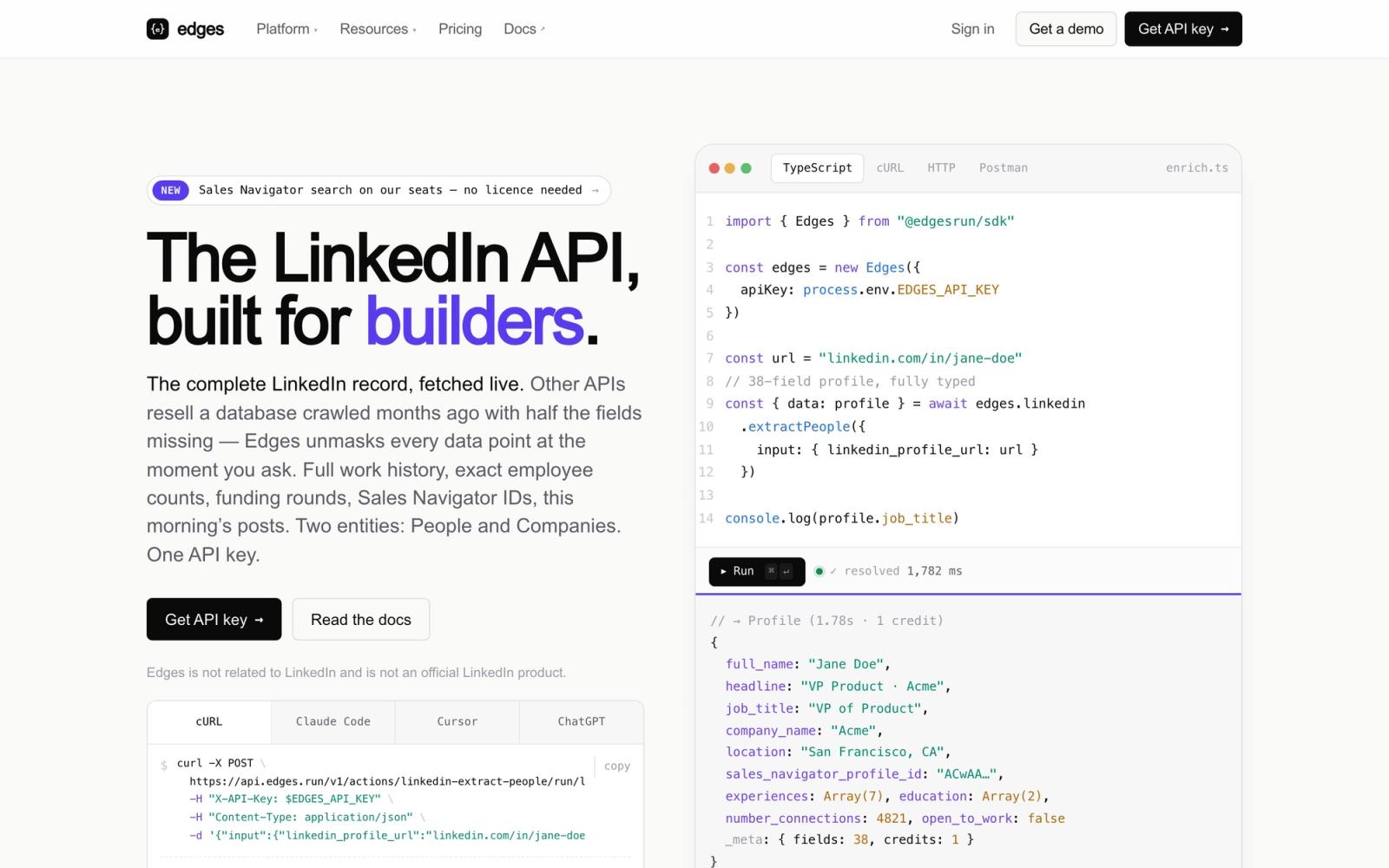
Edges is an API that sells raw LinkedIn actions to developers. You get endpoints for extracting profiles, searching Sales Navigator, sending connection requests and messages, and reacting to posts, and you wire those endpoints into your own product or workflow. It is an outreach API in the infrastructure sense: building blocks, not a finished outreach tool.
The product has two distinct halves, and the distinction matters for both pricing and risk:
- Data reads run on Edges' own managed session pool. The homepage sells this as "No cookies, no LinkedIn account, no warmup, no seats to babysit", with Sales Navigator search running on their seats and "rotation and pacing handled on our side". Edges claims 38 fields per person and 41 per company, with latency of 1.2 seconds at the median and 2.4 seconds at the 99th percentile, and data "read at request time" rather than served from a stale index. Those are the vendor's own numbers from its homepage, not benchmarks we ran.
- Outreach actions run on identities: LinkedIn accounts you connect yourself (via cookies, username and password, or token, with white-labeled login links valid for 48 hours and a checkpoint-resolution endpoint for LinkedIn security checkpoints), or accounts Edges provides in a managed mode at a credit surcharge.
Who is it for? Teams with engineers who want to build something LinkedIn-native: an enrichment pipeline, an agent, a vertical SaaS feature, their own LinkedIn scraper or outreach engine. It is explicitly not for a sales team that wants campaigns running this week, and to Edges' credit, the docs never pretend otherwise.
How many LinkedIn actions does Edges cover, and how do the execution modes work?
The docs index lists 81 documented base actions as of September 2026, spanning profile and company extraction, people and company search, Sales Navigator search, URL and ID lookups, messaging, InMails, connection requests, and post engagement. Amusingly, Edges' own marketing undercounts its product: the homepage says "70+ endpoints" and its comparison pages say "70+ documented actions", while our count of the docs index reaches 81. The docs index is the number to trust.
Every action can run in three execution modes:
- Live: a synchronous REST call that returns the result directly.
- Async: a job with callbacks, for volume work.
- Scheduled: cron schedules down to 1-minute granularity, plus multi-step workflows that chain actions.
API rate limits scale with the plan, and the docs split them by route. Real-time action execution allows 1 request per second on the trial, 2 per second on the entry Bronze tier, 10 per second on Silver and Gold, 20 per second on Platinum and Diamond, and 40 per second at 1,200 per minute on Titanium. Concurrent async runs go from 2 on the trial and Bronze to 5 on Silver and Gold, 10 on Platinum and Diamond, and 15 on Titanium. Polling run status has separate and much tighter limits, from 1 request per second on Bronze up to 10 on Titanium, so build on callbacks rather than polling loops.
The developer surface is genuinely good for 2026: an official TypeScript SDK, a docs MCP server, an open-source plugin for coding agents, an n8n guide, incremental sync on async and scheduled runs, and callback replay endpoints. Someone on this team ships for developers first.
How much does Edges cost in 2026?
Edges bills on two meters at once: credits for data actions and a monthly fee per outreach identity. All figures below were verified on the live pricing page in September 2026.
| Meter | What you pay | Notes |
|---|---|---|
| Credits (data actions) | $43.99 per 1,000 at the base rate, with a 2,500-credit minimum, about $110/month | The 2,500-credit minimum at base rate is the entry point |
| Credit tiers | Bronze 10,000-credit tier: $27.49 per 1,000, $275/month | The calculator labels it "save 38% vs base"; larger tiers discount further |
| Outreach identities | $8.79 per identity at the base rate; 50 identities cost a flat $439/month | The calculator shows "0% savings" at 50; billed on peak active identities during the cycle |
| Identity volume pricing | 200 identities $1,423/month (avg $7.12), 1,000 identities $5,764/month (avg $5.76), 10,000 identities $42,020/month (avg $4.20) | Averages from the live calculator; discounts start well below 1,000 identities, consistent with a graduated schedule whose top band is lower |
| Free tier | 100 credits and 1 identity per month | No card required, renewable monthly |
| Annual discounts | 8% on a 1-year commitment, 12% on a 1-year prepay, 10% on 2 years, 15% on 3 years | On top of tier pricing |
The credit tiers are named Bronze (10,000 credits), Silver (100,000), Gold (500,000), Platinum (2 million), Diamond (20 million) and Titanium (50 million). We verified the base rate and the Bronze price on the live pricing calculator in September 2026; the larger tiers discount further, and we will not print per-tier numbers we did not exercise ourselves. Budget with their calculator before you commit.
Identity billing has a detail worth knowing: per Edges' own docs, identities are billed monthly on the peak number of active engagement identities during the cycle, not the number active on billing day. Spin up 20 identities for a one-week burst and you pay for 20 that month.
For context on what LinkedIn access costs across the whole market, see our guide to LinkedIn API pricing.
What do the hidden multipliers do to that price?
The headline credit price is not the whole story. Three mechanisms move your real cost, in both directions:
- Per-action credit ratios. Actions do not all cost 1 credit. Per the credit-costs doc, find-profile-URL and find-company-URL cost 2 credits per result, post-likers runs at roughly 1 credit per 30 results, and withdrawing an invitation costs 1 credit per 100. Model your actual action mix, not a flat per-record rate.
- Managed identity mode costs 1.5x. Running outreach on Edges' own account pool instead of accounts you connect multiplies the standard credit cost by 1.5, and at higher volumes, where the pool becomes dedicated to your workspace, the docs say "an additional monthly cost can apply" with no dollar figure published. We could not verify any current dollar price for managed or rented accounts; none appears in the live docs or pricing page.
- Engagement identities run at 0 credits. This is the cost saver: connection requests, messages, follows, likes and comments cost zero credits on an engagement identity, because, as the docs put it, engagement mode runs on an identity you are already paying for. You must enable engagement mode in Developer Settings, and an identity's type cannot be changed after creation, so plan the split before you create them.
Does Edges have a sequencer? No, and here is what you still build
This is the heart of the review, and the reason "what you still build" is in the title. Edges has no built-in sequencer, no campaign object, no lead resource. What it has instead is a documented guide called "Build a LinkedIn Outreach Sequence" that walks you through creating your own.
Read that guide carefully before you budget the integration, because it is a candid inventory of the work Edges leaves to you:
- Your own lead database. The guide's SQL schema includes columns like sequence_status, current_step and next_action_at. You are the system of record.
- A state machine to move each lead through steps: invited, accepted, messaged, replied, stopped.
- De-duplication and error handling, so the same person is never contacted twice and failed actions are retried sanely.
- Reply detection and stop logic, so a lead who answers does not get step three anyway.
None of this is a criticism of the engineering. The build guide is well written. But a build guide is also a bill: those components are weeks of development and permanent maintenance, and they are exactly what buyers assume an "outreach API" includes until they read the docs. If you want to see what that build really involves end to end, we wrote up how to build a LinkedIn outreach tool, and if you want the sequencer to already exist, that is the dividing line in our list of Edges alternatives.
What are Smart Limits, and where do they stop protecting you?
Smart Limits are per-identity quotas Edges enforces on each LinkedIn action, set, in their words, below what LinkedIn tolerates. The design is sensible: limits are per action and per identity, with rolling windows that free up gradually rather than resetting at midnight.
Sample quotas from the live limits documentation, verified September 2026:
| Action | Window | Default account | Sales Navigator |
|---|---|---|---|
| Connection requests | 24 h | 25 | 30 |
| InMails | 31 days | 5 | 50 |
| Profile enrichments | 24 h | 1,400 | 2,100 |
| Profile visits | 24 h | 80 | 500 |
| Company enrichments | 24 h | 10,000 | 10,000 |
Two footnotes from Edges' own table: it also carries a LinkedIn Premium column between these two (30 connection requests per day, 15 InMails per 31 days), and the profile-enrichment quotas are starred as tuned per platform configuration, so treat those rows as indicative rather than fixed.
The protection is real but asymmetric across execution modes, and the docs are explicit about it:
- In async and scheduled modes, work that hits a quota is postponed and resumes automatically when the window frees up. The platform paces for you.
- In live mode, a request over quota simply fails with a limit error. Nothing paces your live calls: the limits doc points you to a separate "Live Mode: Safe Practices" guide covering cold-account ramp-up, spacing, sequencing, jitter and recommended per-action delays, all of which are your code's responsibility.
So the marketing line that pacing is handled applies to the modes where Edges schedules the work. If you integrate in live mode, which is the natural first integration, humane pacing is a thing you still build.
Two more traps from the docs: a newly connected identity "does not receive its full allowance immediately" and builds capacity over its first days, which Edges calls the most common reason a limit is hit earlier than the tables suggest (a custom limit set on the integration skips the ramp, or support can lift it for the workspace). And Edges counts only actions performed through its platform: anything the account does by hand or through another tool is invisible to Edges but still counts with LinkedIn. For how these numbers compare to what accounts sustain in practice, see our data on LinkedIn connection limits.
What happens to your data? The 90-day archive nobody mentions
Buried in the FAQ is the single most operationally important fact in the Edges docs: run data is automatically archived after 90 days, and once archived, runs are no longer accessible via the API. That applies to runs, flow runs and output statistics alike. The docs tell you to store results in your own system via callbacks before expiry.
Combine that with the absence of a lead resource or any CRM object and the architecture is clear: Edges is a stateless action executor, and your database is the product. That is a defensible design for an infrastructure vendor, but it is the opposite of what "outreach platform" buyers expect, and none of Edges' own comparison pages mentions it. If your team treats the Edges dashboard as the record of what happened, in 91 days it will not be.
How safe is "no cookies, no LinkedIn account"?
The homepage pitch for the data side is that reads run on Edges' managed session pool, so your own LinkedIn accounts are never exposed to scraping risk. As a risk transfer for the read side, that is genuinely convenient: an account you never connect cannot be restricted for reads you never made from it.
But be precise about what is and is not being promised. LinkedIn's User Agreement prohibits scraping and automated access without permission, and that applies to whoever's sessions do the reading. The legal history of cookie-less scraping vendors, and why a managed read pool does not escape it, is covered in full in our guide to Edges alternatives.
Nobody who touches LinkedIn data through any vendor can honestly promise immunity, including us. The difference between vendors is who carries the risk on paper when something goes wrong, which is exactly what the next section is about. For the broader question, our guide to whether LinkedIn automation is safe covers what actually triggers restrictions.
What do Edges' terms of service say when something goes wrong?
We read the terms (Edges Labs LLC, a Delaware company, with Delaware law governing) so you do not have to. The load-bearing clauses, quoted from the live terms in September 2026:
- Section 3.1, on legal requirements, states that Edges Labs "DOES NOT CARRY OUT ANY VERIFICATION", capital letters theirs: the client alone warrants that its use is lawful.
- Section 11.2: the client will "indemnify and hold Edges Labs harmless" against third-party claims.
- Section 6.1: Edges "will not be liable if the Client is banned or sanctioned by Third-Party Services".
- Section 10.3: total liability is capped at the amount paid during the twelve last months.
In plain terms: you warrant that your use is compliant, you cover Edges if a third party (LinkedIn included) comes after them because of your use, an account ban is your problem, and the most you can ever recover is a year of fees. Aggressive risk-shifting is common in this category, but the no-verification clause plus the indemnity is about as far as we have seen a LinkedIn vendor push it, and it sits oddly next to a homepage whose core promise is that risk is handled on their side. Read the terms yourself before you build a business on them.
What do real users say about Edges?
Nothing yet, and that is a finding in itself. As of September 2026, our searches found no G2 profile, no Trustpilot page, no Product Hunt launch for edges.run or Edges Labs, and no independent review anywhere: every page ranking for the brand is Edges' own marketing, including its comparison pages against Unipile, Proxycurl and Crustdata. To our knowledge this article is among the first independent reviews of the product.
That does not make Edges bad. It makes it young, or at least publicly quiet. It does mean you should weight the primary sources, the docs, the pricing page and the terms, over any social proof, because there is none to weigh. It also means you should test the free tier (100 credits, 1 identity, no card) against your real workload before committing to a tier.
Edges vs Swarmhit: raw LinkedIn actions or a managed outreach layer?
Full disclosure: Swarmhit is our product, so read this section as the vendor's own comparison and check everything against both sites. The honest framing is that Edges and Swarmhit sit at different layers of the same problem, and the comparison is about which layer you want to own.
Edges sells the actions and expects you to build the system: the sequencer, the lead store, the reply handling, the live-mode pacing. Swarmhit sells the system: sequencing, inbox, warmup and safety logic already built, running exclusively on LinkedIn accounts the customer owns and connects, with an API and webhooks so developers embed it rather than rebuild it. Swarmhit does no cookie-less scraping and runs no shared session pool: scraping happens only through your own connected accounts, capped by Swarmhit at 2,500 profiles a day from Sales Navigator and 1,000 a day from standard search.
| Edges (edges.run) | Swarmhit | |
|---|---|---|
| Category | Raw LinkedIn actions API | Managed LinkedIn outreach layer with API and webhooks |
| Sequencer | None, docs guide you to build your own | Built in |
| Accounts | Connected identities, or managed pool at 1.5x credits | Customer-owned connected accounts only |
| Data reads | Managed session pool, no account needed | Through your own accounts, capped at 2,500/day Sales Navigator and 1,000/day standard search |
| Pacing | Automatic in async and scheduled modes, your job in live mode | Managed: dedicated proxy per sender, auto-warmup, 250+ safeguards monitored 24/7 |
| Data retention | Runs archived after 90 days, persist via callbacks | Campaign and lead data live in the platform |
| Contact data | Credits, $43.99 per 1,000 base rate, $27.49 at the Bronze 10,000-credit tier | 1B+ contacts across 60M companies via third-party providers, free monthly credits then pay as you go |
| Ban liability | Client indemnifies Edges, liability capped at 12 months of fees | Safety-first managed operation; no vendor can promise immunity |
| Pricing | Credits $43.99 per 1,000 base with tier discounts, plus identities at $8.79 base with volume discounts | From $16.90 per sender a month, tiered down to $6.90 |
On price, Swarmhit's pricing is public: LinkedIn is tiered per connected sender, from $16.90 a month for the first 50 down to $6.90 between 1,501 and 2,500 senders, and cold email starts at $59 a month for 50,000 sends. Each band of senders is priced at its own rate, so adding senders lowers what the next ones cost rather than repricing the fleet you already have.
If you are surveying this whole category, our breakdowns of Unipile alternatives and the full Edges comparison map where each vendor draws the build-versus-buy line.
Verdict: who should pick Edges in 2026?
Pick Edges if you have engineers, you are building a LinkedIn-native product or agent, you want raw endpoints with a modern developer surface (TypeScript SDK, a documentation MCP, async and scheduled runs), and you accept the build: your own lead store, sequencer, reply logic and live-mode pacing, plus terms that put compliance and ban risk entirely on you. The free tier makes the evaluation cheap.
Do not pick Edges if you want campaigns running this week, expect the vendor to remember your data for longer than 90 days, or need someone else to own account safety end to end. The gap between the homepage promise (everything handled) and the documented reality (pacing, storage and sequencing are yours in the mode you will likely start with) is the thing to price before you sign.
If what you actually want is the outreach layer with the infrastructure already run for you, on accounts you own, with an API and webhooks to build against, that is the integration call we do every week. Book a call with Swarmhit and bring your sender count and workflow: you will get a straight answer on whether the managed layer fits or whether you genuinely need raw actions.
Edges review FAQ
What is Edges (edges.run)?
Edges is a LinkedIn actions API from Edges Labs that exposes 81 documented base actions across LinkedIn, Sales Navigator and Recruiter Lite to developers through live REST calls, async jobs and cron schedules. Data reads run on Edges' managed session pool with no LinkedIn account required, while outreach actions run on identities you connect. It ships no sequencer, no CRM objects and no long-term storage: campaign logic, lead state and persistence are built by the customer, following guides in the Edges docs.
How much does Edges cost in 2026?
Edges bills credits at a $43.99 per 1,000 base rate with a 2,500-credit minimum, about $110 per month, or $27.49 per 1,000 at the Bronze 10,000-credit tier, about $275 per month, verified on the live calculator in September 2026. Outreach identities cost $8.79 each at the base rate, 50 identities run a flat $439 per month, and volume discounts start well below 1,000 identities: 1,000 average $5.76 each and 10,000 average $4.20. Managed identities cost 1.5x standard credits. A free tier includes 100 credits and 1 identity monthly with no card required.
Is Edges legit, and are there any Edges reviews?
Edges is a real product from Edges Labs LLC, a Delaware company, with substantial public documentation, but as of September 2026 we found no third-party reviews: no G2, Trustpilot or Product Hunt profile exists, and every page ranking for the brand is Edges' own marketing. Evaluate it on primary sources, meaning the docs, the pricing page and the terms of service, and use the free tier to test your real workload before paying.
Does Edges have a built-in sequencer?
No. Edges has no sequencer, campaign object or lead resource. Its own documentation includes a "Build a LinkedIn Outreach Sequence" guide that instructs you to create your own lead table with columns like sequence_status and next_action_at, a state machine for steps, de-duplication and error handling. Expect weeks of development plus ongoing maintenance, or choose a vendor with sequencing built in if that layer is not something you want to own.
What happens to my Edges run data after 90 days?
Run data is automatically archived after 90 days, and archived runs are no longer accessible via the API. This applies to runs, flow runs and output statistics alike. Edges' docs tell you to persist results into your own system via callbacks before expiry. Practically, your database is the system of record from day one: if your team relies on the Edges dashboard as history, that history disappears on a rolling 90-day window.
Is the "no cookies, no LinkedIn account" model safe?
It shifts read-side risk off your accounts, but it does not remove risk from the activity. Reads still happen on LinkedIn sessions, just Edges' managed pool instead of yours, and LinkedIn's User Agreement prohibits unauthorized automated access. Edges' terms make the client indemnify Edges Labs, state that Edges does not verify compliance, and cap liability at 12 months of fees. Convenient, yes; immunity, no vendor can honestly promise that.
What is the difference between Edges and Unipile?
Both sell LinkedIn API access to developers, but Edges centers on cookie-less data reads from a managed session pool plus outreach on connected identities, while Unipile is a connected-accounts messaging API spanning LinkedIn and email. Neither ships a sequencer, so both leave campaign logic to your code. See our full Unipile review and Unipile comparison for that side of the decision.


